Proof of range
Start FromWhat Already Works
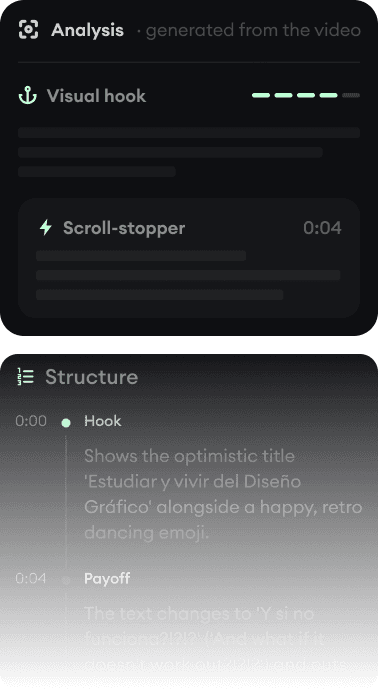
Every example starts with an input. Revid analyzes it, extracts what matters, and creates something new for you.
Viral Video

Your Version

Veed is a browser editor you drive by hand, with AI features added on. Revid is an AI generator that produces the video for you, with an editor for the final touches.
We link to Veed's own pages and public review scores so you can verify everything yourself.
Veed built its name as the browser editor that made subtitles painless, and it remains one of the most complete no-install editors around: timeline, screen recording, brand kits, dubbing, and a stock library with Epidemic Sound music. Its AI generation features (Sora and Seedance clips, avatars, its Fabric talking-video model) sit on top of that editor.
Revid comes from the opposite direction. The AI generates the whole video first (script, visuals, voice, captions, music), and the timeline editor exists for the last 10%, not the first 90%. If you enjoy editing, Veed gives you the richer toolbox. If you want finished videos with as little editing as possible, Revid is built around that.
| Revid | Veed | |
|---|---|---|
| Main focus | Generating finished short-form videos from text, audio, and links | Browser-based video editing with AI features layered on top |
| Starting point | A prompt, script, article, or song; the AI builds the video | Your footage or a blank timeline; you assemble the video |
| AI video models | Veo 3, Sora 2, Kling, Seedance, chosen per workflow and tier | Sora (12s clips), Seedance 1.0, and its own Fabric 1.0 talking-video model |
| Captions | 16 caption presets, auto-captions in 100+ languages, applied automatically | Flagship auto-subtitles and translation, applied in the editor |
| Publishing | Direct posting and scheduling to TikTok, YouTube, and Instagram, plus automation workers | Sharing/publishing to YouTube, TikTok, Instagram, Facebook from the platform (depth varies by plan) |
| API and AI agents | Public REST API, MCP server with 14 tools, npm CLI, on every paid plan | Fabric model available as an API; no full platform API and no official MCP server found |
| Free tier | Free credits on signup, no credit card required | Free plan with watermark, 720p export, and limited AI trials |
| Trustpilot | 4.0/5 (301 reviews) | 4.2/5 |
Feature and pricing details checked August 2026 on both products' public pages. Spotted something outdated? Email us and we'll fix it.
Don't take the table's word for it. These are real Revid projects: the exact input on the left, the exported video on the right.
Every example starts with an input. Revid analyzes it, extracts what matters, and creates something new for you.
Viral Video
Your Version
$39/monthto start
Free credits on signup, no credit card required.
$29/month billed yearly. Every plan includes the editor, direct publishing, and full API/MCP/CLI access. Exact credit costs are public.
~$10-24/month entryto start
Free plan with a "Made with VEED" watermark, 720p export, and limited AI trials.
Veed shows pricing dynamically by region and is mid-transition between plan structures; third-party trackers report entry tiers around $10-24/month and Pro around $21-35/month with 4K export. AI features run on credits that do not roll over. Verify current numbers on veed.io/pricing. Checked August 2026.
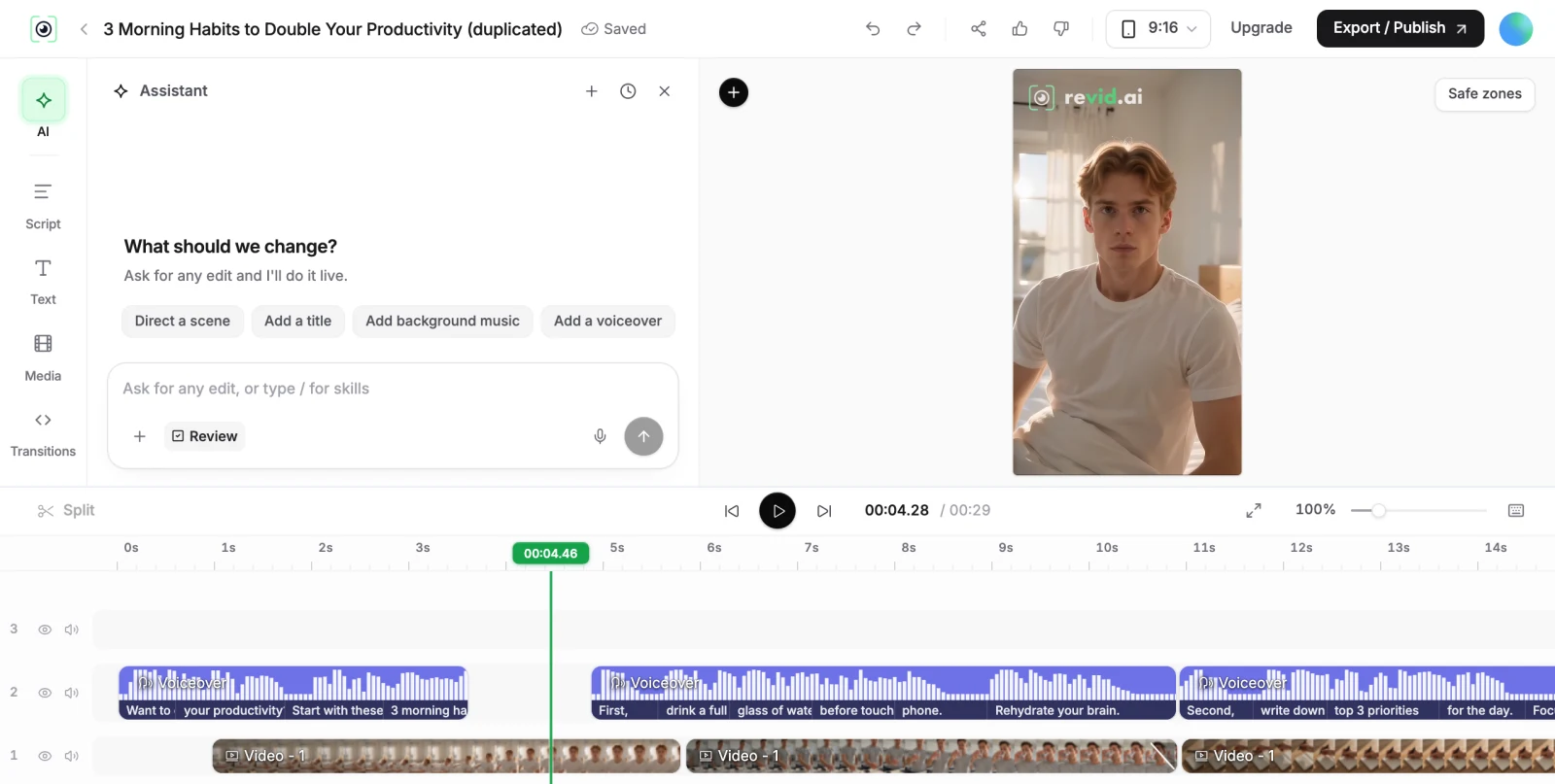
With Veed, you are the editor. It gives you an excellent timeline, and its AI features hand you ingredients: a Sora clip here, an avatar there, subtitles everywhere. The result depends on your assembly, and reviewers genuinely like the experience, with the recurring complaints being lost projects and billing friction rather than capability.
With Revid, the AI is the editor first. A workflow takes your input, writes or uses your script, generates scene visuals, records the voice-over, syncs captions and music, and hands you a finished video. The timeline editor is there to fix and polish, not to build from zero. For daily short-form output, that inversion is the entire time saving.
Choose Veed when your raw material is footage you shot: interviews, talking-head content, screen recordings, event clips. Its captioning, dubbing, and manual control are ideal for that, and no AI generator replaces a real editor for real footage.
Choose Revid when the video does not exist yet. Faceless channels, music videos, story formats, product ads, and anything you want produced on a schedule benefit from generation plus automatic publishing. If you need an agent or script to produce videos programmatically, Revid's API, MCP server, and CLI are included on every plan, while Veed exposes only its Fabric model as an API.
Revid is not a 5-second video toy. Its viral video intelligence writes the script, directs the scenes, generates the voices and edits the final cut. Every film below was created in one go.


Creators publish 30,000+ videos to TikTok, Instagram, and YouTube through Revid every month. Your channel could be next.


Find detailed answers to 100+ questions about features, tools, and workflows
or check our markdown version optimized for LLMs