Creators publish 30,000+ videos a month with Revid

AI YouTube Channel Roast Generator

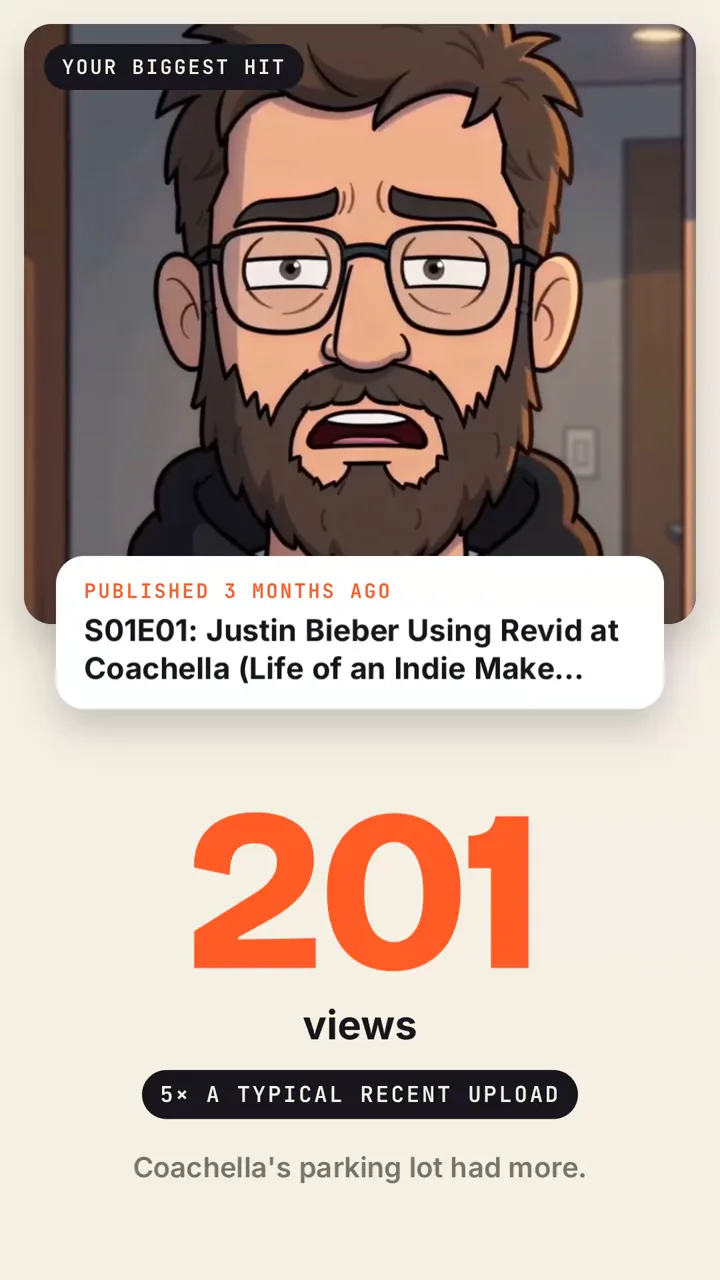
Paste a YouTube channel: Revid reads its numbers, titles and thumbnails, pulls real clips from its videos and makes a narrated roast video you can post.

  • Start from text in seconds
  • AI voiceover
  • Auto-selects visuals
  • Captions and sound-ready

Need the prompt first? Try the free AI video prompt generator.

3,730 people used this tool in the last 24h
Start for free.(no credit card required)

Related tools you might like:

or explore our 42+ other tools to create the exact video you want

Explore our tools

Create a Hilarious YouTube Channel Roast Video in 3 Simple Steps

1 Input the YouTube Channel

Start by pasting the URL or @handle of the channel you want to target into our YouTube channel roast generator. Whether you want to roast your own YouTube channel, a friend's, or a famous creator, Revid AI works with any public channel.

2 Choose Your Roast Level & Angle

Select how hard you want the AI YouTube channel roast to go: Friendly (warm and playful), Spicy (dry and specific), or Savage (no mercy for the content). You can also provide a custom angle, like telling the AI to focus on their clickbait thumbnails, upload inconsistency, or specific video stats.

3 Generate and Share

Click generate and let our AI do the work. It will pull real clips, analyze their subscriber and view counts, and create a narrated YouTube channel roast video with dynamic motion graphics in minutes. Download it and post directly to TikTok, YouTube Shorts, or Instagram Reels.

01

A Roast Built on the Channel's Real Numbers

Revid reads what the channel shows in public: subscribers, total views, the last uploads and how each one did, the all-time hit, upload pace, video length and title habits. The script only uses those facts and what is visible in the footage, so every joke lands on something true. Nothing is invented, and the numbers on screen are the channel's own.

02

Cut From the Channel's Own Footage

The video is not a slideshow of screenshots. Revid pulls the opening of the latest upload, the biggest hit, the least watched video and a Short, watches them, and builds a motion graphics film around the moments that prove the joke, with counters, labels and a thumbnail wall reacting to what is on screen.

03

Roast Your Own Channel, a Friend's or a Creator You Follow

Creators post their own roast to show they can take a joke, friends send one to each other, and commentary channels use it as a format. Pick how hard it goes, from friendly to savage. Every level stays on the content and the strategy (titles, thumbnails, numbers, habits) and never on the person.

Target Audience

Who is this tool for?

Creators

Roast your own channel and post it: an honest, funny look at your numbers and habits that your audience will share.

Commentary and reaction channels

Turn channel teardowns into a repeatable format, with real clips and real numbers in every episode.

Friends and communities

Send a roast to a creator friend or make one for your community's favorite channel.

FAQs

Frequently Asked Questions

What is the YouTube Channel Roast Generator?
The Revid AI YouTube Channel Roast Generator is an automated tool that creates a funny, narrated video roasting any public YouTube channel. Just paste a link, and the AI analyzes the channel's subscribers, total views, thumbnails, and actual video clips to build a custom YouTube channel roast that is ready to post on social media.
How does the AI generate a YouTube channel roast?
Our AI YouTube channel roast tool works by reading the channel's real public data. It looks at their numbers, most popular uploads, and even pulls actual video clips. It then writes a custom, highly specific script based on these facts and generates a motion graphics video with a professional AI voiceover to deliver the ultimate YouTube channel teardown.
Can I use this tool to roast my own YouTube channel?
Absolutely! In fact, many creators use our tool to 'roast my YouTube channel' as a fun, self-deprecating way to engage their audience. Posting your own YouTube channel roast video shows your viewers you can take a joke about your upload habits, thumbnail choices, and view counts.
Are the YouTube channel roasts mean or offensive?
Not at all. You have full control over the tone of your YouTube channel roast. We offer three levels: Friendly (warm and playful), Spicy (dry and specific), and Savage (no mercy for the content). Regardless of the level you choose, the AI YouTube channel roast always targets the content, numbers, and strategy—never the actual person behind the channel.
Can I customize what the AI roasts about the channel?
Yes! When using the YouTube channel roast generator, you can provide a specific angle or prompt. For example, you can tell the AI to focus on their two-year break, their repetitive titles, or even ask it to end on a compliment. The AI will seamlessly weave these instructions into the final YouTube channel roast video.
Does the tool use real clips from the YouTube channel?
Yes, our YouTube roast video maker actually pulls footage from the channel's latest uploads, biggest hits, and Shorts. It doesn't just use static screenshots; it builds a dynamic motion graphics film around the exact moments that prove the joke, complete with animated counters and thumbnail walls.
Who is the YouTube Channel Roast Generator for?
This tool is perfect for creators wanting to roast their own YouTube channel, commentary and reaction channels looking for a highly engaging and repeatable video format, or friends and communities wanting to send a funny YouTube channel critique to a fellow creator.
How long does it take to create a YouTube channel roast video?
Generating an AI YouTube channel roast takes just a few minutes. Revid AI quickly analyzes the channel's data, writes the comedy script, pulls the necessary footage, and renders a high-quality vertical video optimized for TikTok, Reels, and YouTube Shorts.
Do I need any video editing skills to use this tool?
Zero editing skills are required! The YouTube channel roast generator handles everything automatically—from scriptwriting and voiceover generation to pulling clips and adding motion graphics. However, if you want to make final tweaks, you can easily use Revid AI's built-in editor before downloading.
How much does it cost to generate a YouTube channel roast?
Generating a YouTube channel roast video uses credits from your Revid AI account. Free users get starting credits to try the YouTube channel roast generator, while our paid plans offer a larger monthly allocation of credits for creators who want to turn these roasts into a regular content series.

Still have questions?

Contact us

Find detailed answers to 100+ questions about features, tools, and workflows

or check our markdown version optimized for LLMs

Tools

Free AI Video Tools

Choose your tool, add your content, and create a video in seconds. Then customize it to your liking.

See all tools

AI TikTok Video Generator

Turn text into trendy, viral TikTok videos in a snap

Try it out

Prompt to Video

Turn your prompts into engaging videos with AI assistance

Try it out

Add Caption to Video

Generate subtitles in 100+ languages with AI captions

Try it out

PDF to Brainrot

Convert PDFs into attention-grabbing, scrollable videos

Try it out

Text to Brainrot

Turn your text into trendy, scrollable content with dynamic visuals

Try it out

AI Talking Avatar

Create lifelike talking avatars from text in seconds

Try it out

Video Podcast Generator

Transform your podcasts into visually engaging video content

Try it out

AI Movie Maker

Create studio-quality videos from text, no filming required

Try it out

Audio to Video

Make engaging videos from your podcasts, interviews, or any audio content

Try it out

Animated Lyrics Video Generator

Turn any song into an animated lyric video with synced text and visuals.

Try it out

AI Music Video Generator

Transform your music into cinematic music videos.

Try it out

AI Lyrics Video Generator

Transform your lyrics into a complete music video with AI

Try it out
How it works

From Signal To Published In Four Steps.

1

Find Viral & Trending Videos.

RevidAI's Viral Search and Channel Watcher surface the formats, creators, and trends getting attention right now, then help you turn them into ideas of your own.
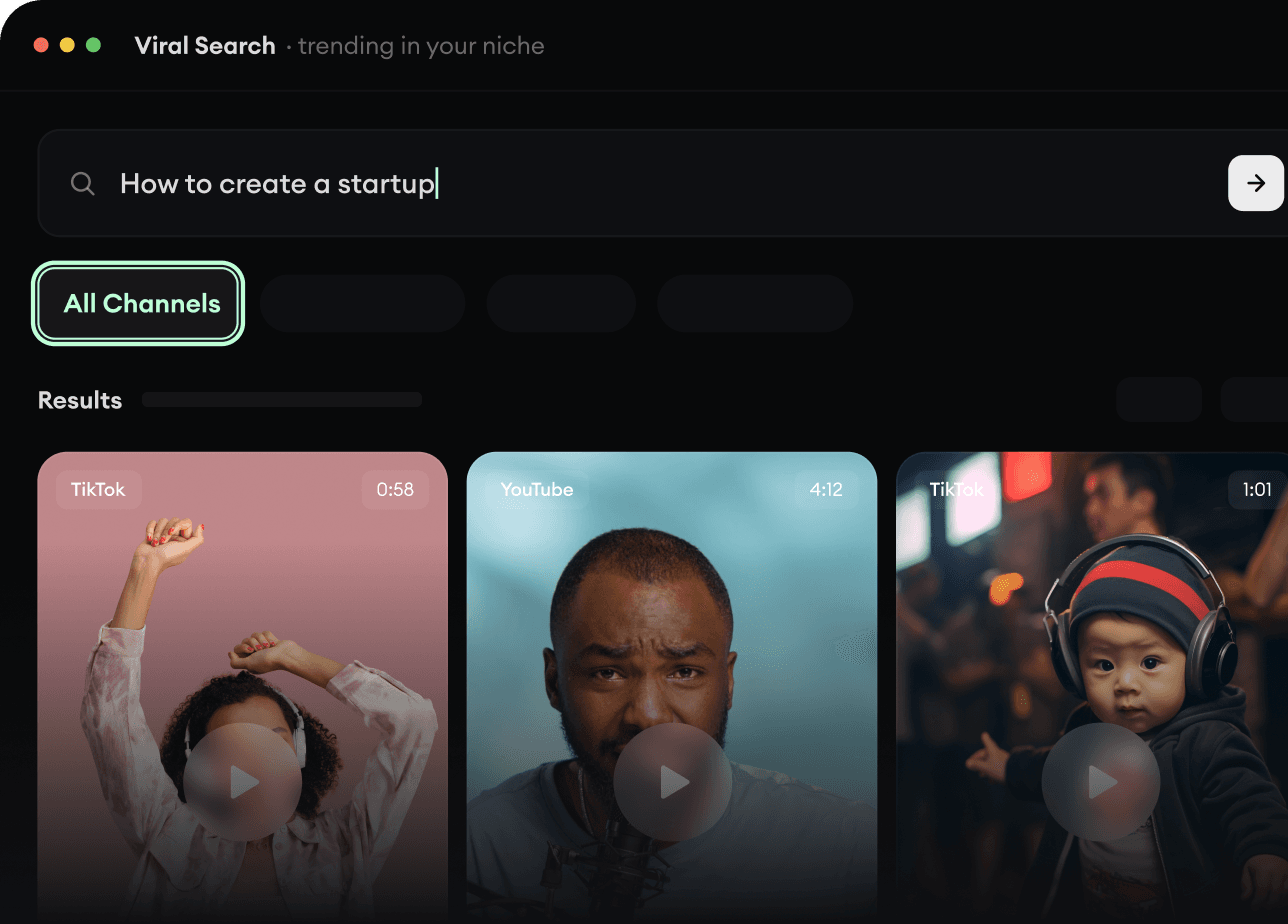
  • Discover winning video formats in your niche
  • Follow creators and channels that matter
  • Start with proven ideas instead of guessing
Find Viral & Trending Videos.
2

Turn An Idea Into A Story.

Found something worth making? Revid AI writes the script, suggests the structure, and turns links, prompts, or topics into complete video concepts.
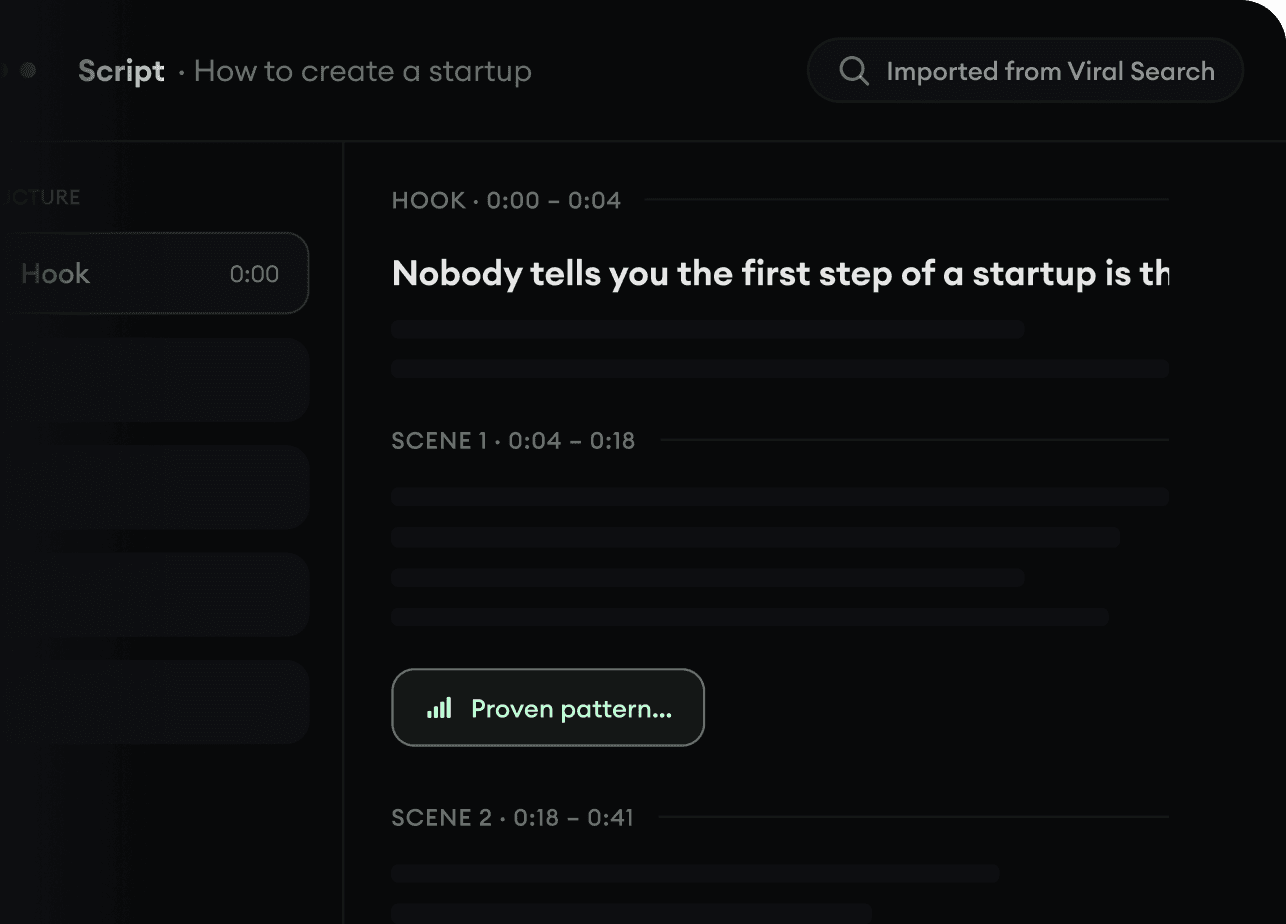
  • Start with a prompt, topic, or URL
  • Generate scripts inspired by proven patterns
  • Build stories designed to keep people watching
Turn An Idea Into A Story.
3

Generate The Finished Video.

Script, voiceover, visuals, subtitles, and editing all come together in one workflow. No stitching together five different tools.
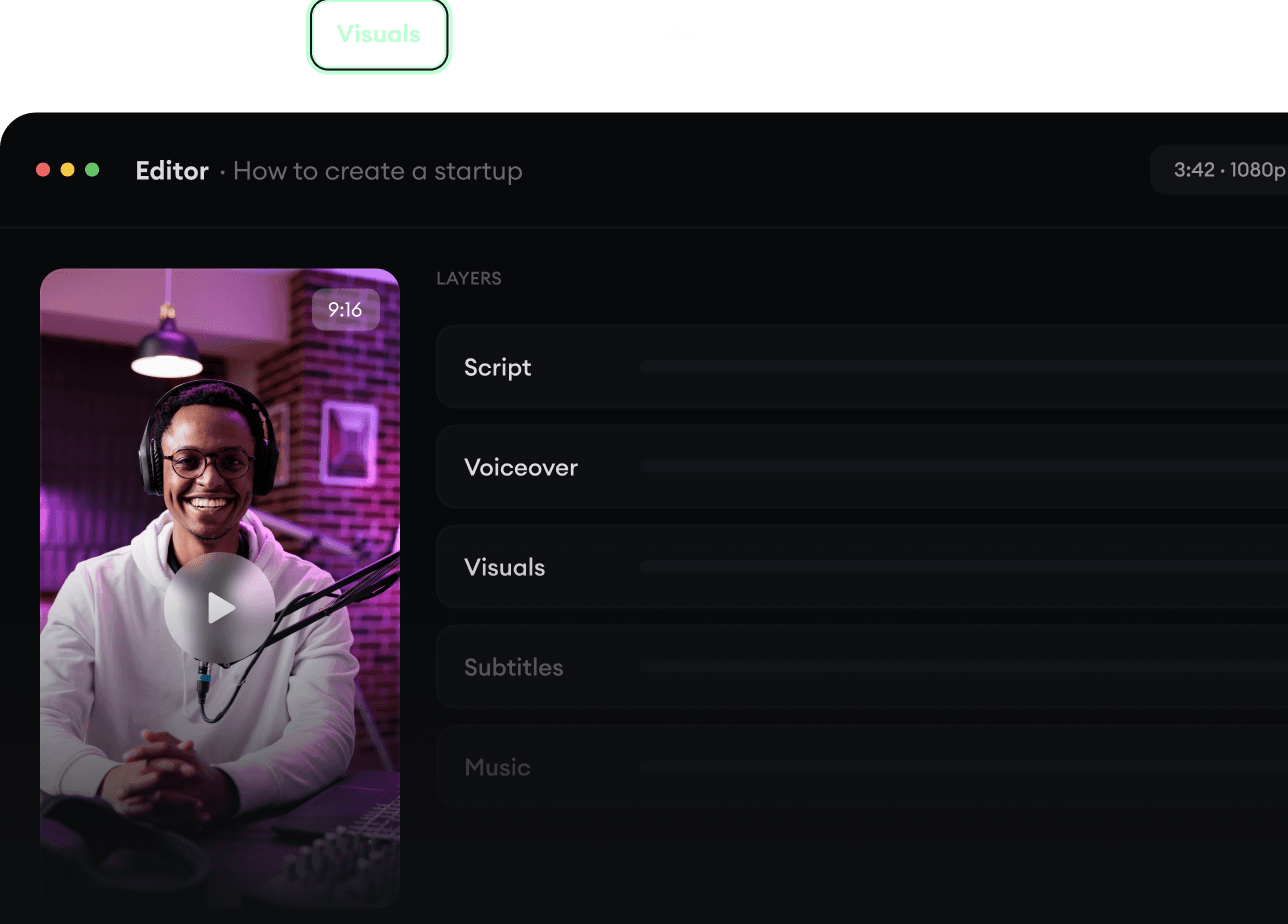
  • Turn text into complete, multi-minute videos
  • Generate everything in one place
  • Refine the result in the editor
Generate The Finished Video.
4

Publish Everywhere.

Share your videos to TikTok, YouTube, Instagram, and wherever your audience is.
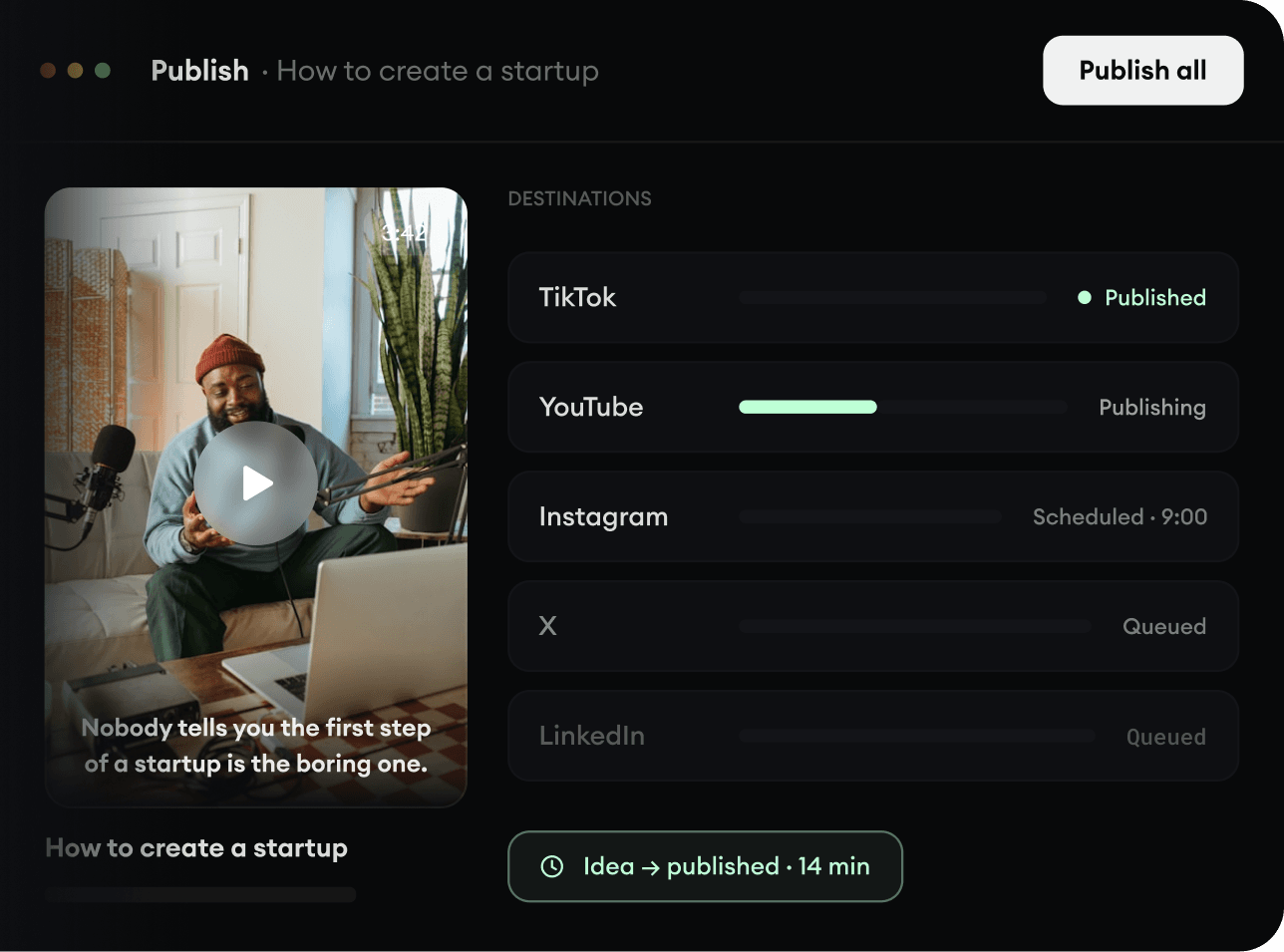
  • Publish across every major platform
  • Reach more people with less work
  • Go from idea to published video in minutes
Publish Everywhere.