Trusted by 14,000+ creators worldwide

AI Santa Video Generator

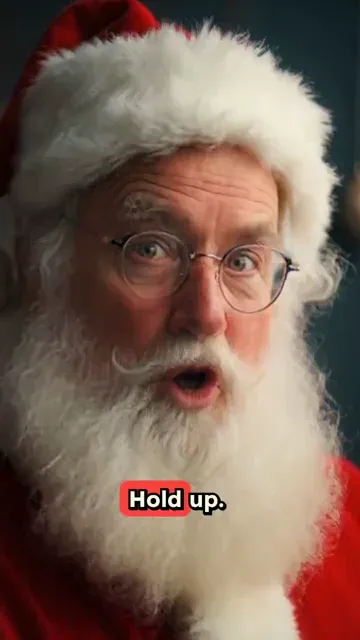
Create enchanting Santa videos instantly with AI. Bring Santa Claus to life with realistic speech, festive expressions, and Christmas magic. Perfect for holiday content and personalized messages.

Type a script or paste a URL to create a talking avatar video with natural motion, voice, and ready-to-publish pacing.

  • 124+ AI voices
  • Natural lip sync
  • Text to avatar video
  • Great for UGC and presentations

Create Magical AI Santa Videos in 3 Simple Steps

1 Write Santa's Message

Begin by typing Santa's script directly into the text field. Want Santa to share a special Christmas story, deliver a personalized greeting for kids, or read a festive poem? Just enter your text. You can also paste a URL from a festive blog post or Christmas article for inspiration. Use [brackets] to suggest festive visuals like [Christmas tree] or [reindeer sleigh] without Santa actually saying those words.

2 Choose Santa's Voice and Look

Select a jolly AI Santa voice from our festive collection, or record your own voice to give Santa a unique personality. Then, choose a pre-designed Santa avatar, or upload your own image or video of Santa for a truly custom look. For best results when uploading your own Santa video to be animated, use a clear, well-lit landscape video with Santa reasonably zoomed out. Our AI will animate Santa's expressions and lip movements to perfectly match the chosen voice, bringing him to life!

3 Add Festive Touches and Generate

Enhance your Santa video with cheerful Christmas background music from our library, or upload your own favorite holiday tune. You can also opt to add B-Roll footage of festive scenes. Click 'Generate Video,' and in just a few minutes, your magical AI Santa video – complete with jolly animations, festive graphics, and captions – will be ready to spread Christmas cheer. You can then edit it further or share it directly!

01

Create Personalized Santa Videos for Christmas in Minutes

Type your Christmas message and Revid's AI Santa video generator produces a complete video with a realistic Santa Claus avatar delivering your personalized greeting with festive expressions and a natural voice. There is no filming, no costume, and no studio involved. The AI avatar speaks your script with the warmth and character of Santa Claus, producing a finished video ready to share on social media, send to family, or use in a Christmas campaign. From message to finished video takes minutes at any time of year.

02

What the AI Santa Video Generator Produces for Your Message

The Santa video generator uses Revid's AI avatar technology to create a realistic talking Santa Claus who delivers your script with natural speech, synchronized lip movement, and festive visual framing. The output is a polished short video with your personalized message spoken by Santa in a style suited for children, family audiences, or festive brand content. You can write any message you want, from personalized greetings addressed to a child by name to promotional Christmas announcements for a brand campaign or event.

03

Santa Video Content That Delivers Christmas Magic on Every Platform

Personalized Santa videos are among the most-shared pieces of Christmas content across TikTok, Instagram, and YouTube every holiday season. Children's reactions to personalized Santa messages go viral reliably, and brands that use Santa-fronted content during the holiday period see higher engagement than standard promotional posts. Revid makes it practical to produce as many personalized Santa videos as you need without scheduling a Santa actor, renting a studio, or hiring a video production team to handle the holiday campaign.

Target Audience

Who is this tool for?

Parents creating personalized Christmas surprises

Generate a Santa video with your child's name and a personal message from the big man himself, creating a magical Christmas memory that feels completely real and deeply personal.

Holiday content creators and Christmas channels

Build a library of Santa video content for your Christmas channel without hiring a Santa actor or filming a single frame, publishing festive shorts consistently throughout the holiday season.

Brands running Christmas campaigns

Create Santa-fronted video content for festive promotional campaigns, holiday greetings, and Christmas giveaway announcements that connect with audiences through a universally beloved character.

Schools and educators making festive classroom content

Produce personalized Santa messages for your class or school community, creating memorable holiday moments for students without organizing a live Santa appearance or filming event.

Comparison

Revid vs. Hiring a Santa Actor or Filming Christmas Videos

Getting a personalized Santa video traditionally requires booking a Santa performer, organizing filming, and editing the final video. Revid generates the complete personalized Santa video automatically from your message.

Input
Revid AI Santa Video GeneratorType your message and generate a Santa video immediately
Other ToolsBook a Santa actor, organize a filming session, and edit the result
Personalization
Revid AI Santa Video GeneratorFully personalized script spoken by Santa automatically
Other ToolsRequires briefing the actor and coordinating the message in advance
Production time
Revid AI Santa Video GeneratorFinished Santa video in minutes
Other ToolsDays of planning, scheduling, and editing per video
Cost
Revid AI Santa Video GeneratorIncluded in Revid's video generation credits
Other ToolsSanta actor fees, filming costs, and editing per production
Content volume
Revid AI Santa Video GeneratorCreate multiple personalized Santa videos in one session
Other ToolsEach video requires a separate full production run
Availability
Revid AI Santa Video GeneratorGenerate Santa videos at any time of year, any day
Other ToolsLimited to actor availability during peak holiday booking periods
More Tools

Explore Similar AI Avatar AI Video Tools

Discover more ways to create engaging videos with our AI-powered tools

FAQs

Frequently Asked Questions

What is the AI Santa Video Generator?
Our AI Santa Video Generator is a magical tool that lets you create personalized Santa Claus videos in minutes. Simply provide a script for Santa, choose a voice and a Santa avatar, add some festive music, and our AI will generate a heartwarming Christmas video. It's perfect for creating unique holiday greetings, special messages for kids, or engaging festive content for social media.
How does the AI Santa avatar work?
Our advanced AI brings Santa to life! It analyzes the Santa avatar image or video you choose (or our default Santa) and animates his facial expressions and lip movements to perfectly sync with the voiceover. This creates a realistic and engaging talking Santa, ready to deliver your Christmas message with festive charm.
What kind of script can I use for Santa's video?
You can write any script for Santa! Whether it's a personalized message to a child, a festive greeting for family and friends, a Christmas story, or even a fun holiday announcement. You can type your script directly or get inspired by pasting a URL from a Christmas-themed article or blog. Let your Christmas creativity shine with our Santa Claus video maker!
Can I use my own image or video for the Santa avatar?
Yes, absolutely! While we offer delightful Santa avatars, you can make your video truly unique by uploading your own image or video of Santa. Perhaps you have a favorite Santa illustration or a video clip you'd like to use. For video uploads, we recommend a clear, landscape recording with Santa visible from the waist up for the best animation. Our AI will animate your custom Santa, making your Christmas video generator experience even more special.
Can I use my own voice for Santa instead of an AI voice?
Ho ho ho, of course! While we offer a range of cheerful AI Santa voices, you can record your own voice directly in the tool to give Santa a familiar or unique sound. Use our built-in teleprompter for easy recording. You can also upload a pre-recorded audio file. This is great for creating a truly personalized Santa video message.
How can I make my Santa video look extra festive and professional?
To make your AI Santa video extra magical, use clear, engaging language in your script. Add pauses with <break time="1.0s" /> for dramatic effect. Separate lines in your script to create new scenes or slides. Use [bracketed text] like [twinkling Christmas lights] or [snowy background] to guide the AI in adding relevant festive B-roll and imagery to accompany Santa's message.
How do I control scene changes in my Santa video?
To mark where a new scene or visual should begin in your Santa video, simply start a new line or paragraph in your script. Our AI interprets these line breaks as cues to transition, helping you structure Santa's message into delightful, easy-to-follow segments for your AI Christmas video.
What's the cost to create a Santa video with this generator?
The cost of creating your magical Santa video depends on your Revid AI plan and the video's specifics. Each video uses a certain number of credits. Features like 'Remove Avatar Background' (when 'Add B-Roll' is active) may use additional credits, for example, 20 more credits per 500 characters. Please visit our pricing page for detailed information on subscription plans and credit usage for the AI Santa Video Generator.
How long does it take to generate a Santa video?
Creating your personalized Santa video is quick! Most talking Santa videos are ready in just 2 to 5 minutes. Longer or more complex scripts might take a little more time, but our Christmas elves (our AI!) work fast to bring your Santa Claus video maker creation to life. You'll be spreading holiday cheer in no time!
Can I add Christmas B-Roll or festive backgrounds to my Santa video?
Yes! You can enable the 'Add B-Roll' option, and our AI will search for or generate relevant festive video footage and images to illustrate Santa's message, making your custom Santa video even more engaging. You can also guide the AI by using [bracketed text] in your script, like [children opening presents] or [cozy fireplace].
Is it possible to remove the background from the Santa avatar?
Yes, if you're using the 'Add B-Roll' feature, you have the option to 'Remove Avatar Background.' This will make Santa appear overlaid on the festive B-Roll footage, creating a more integrated and magical scene for your animated Santa video. Please note that this feature may consume additional credits.
Can I edit my Santa video after it's generated?
Absolutely! Once your AI Santa video is generated, you can use Revid AI's built-in editor to add finishing touches. Trim clips, adjust captions, change music, or tweak visuals to make your Christmas video perfect before sharing your custom Santa video message.
Where can I share my AI-generated Santa videos?
Your AI-generated Santa videos are perfect for sharing joy everywhere! Send them as personalized video messages to kids, family, and friends. Post them on TikTok, Instagram Reels, YouTube Shorts, Facebook, or include them in email greetings. Spread the Christmas magic far and wide with your unique Santa video for kids and adults alike!
I need help with the AI Santa Video Generator. What should I do?
We're always here to help you create the most magical Christmas videos! If you have any questions about the AI Santa Video Generator or any other Revid AI tool, please contact our friendly support team at hello@revid.ai. We'll get back to you faster than Santa's sleigh!
View Complete Help Center

Find detailed answers to 100+ questions about features, tools, and workflows

or check our markdown version optimized for LLMs

Tools

Free AI Video Tools

Choose your tool, add your content, and create a video in seconds. Then customize it to your liking.

AI TikTok Video Generator

Turn text into trendy, viral TikTok videos in a snap

Try it out

Prompt to Video

Turn your prompts into engaging videos with AI assistance

Try it out

Add Caption to Video

Generate subtitles in 100+ languages with AI captions

Try it out

PDF to Brainrot

Convert PDFs into attention-grabbing, scrollable videos

Try it out

Text to Brainrot

Turn your text into trendy, scrollable content with dynamic visuals

Try it out

AI Talking Avatar

Create lifelike talking avatars from text in seconds

Try it out

Video Podcast Generator

Transform your podcasts into visually engaging video content

Try it out

AI Movie Maker

Create studio-quality videos from text, no filming required

Try it out

Audio to Video

Make engaging videos from your podcasts, interviews, or any audio content

Try it out

Animated Lyrics Video Generator

Turn any song into an animated lyric video with synced text and visuals.

Try it out

AI Music Video Generator

Transform your music into cinematic music videos.

Try it out

AI Lyrics Video Generator

Transform your lyrics into a complete music video with AI

Try it out
See all tools
How it works

Four simple steps to create and share your video

1
Step 1

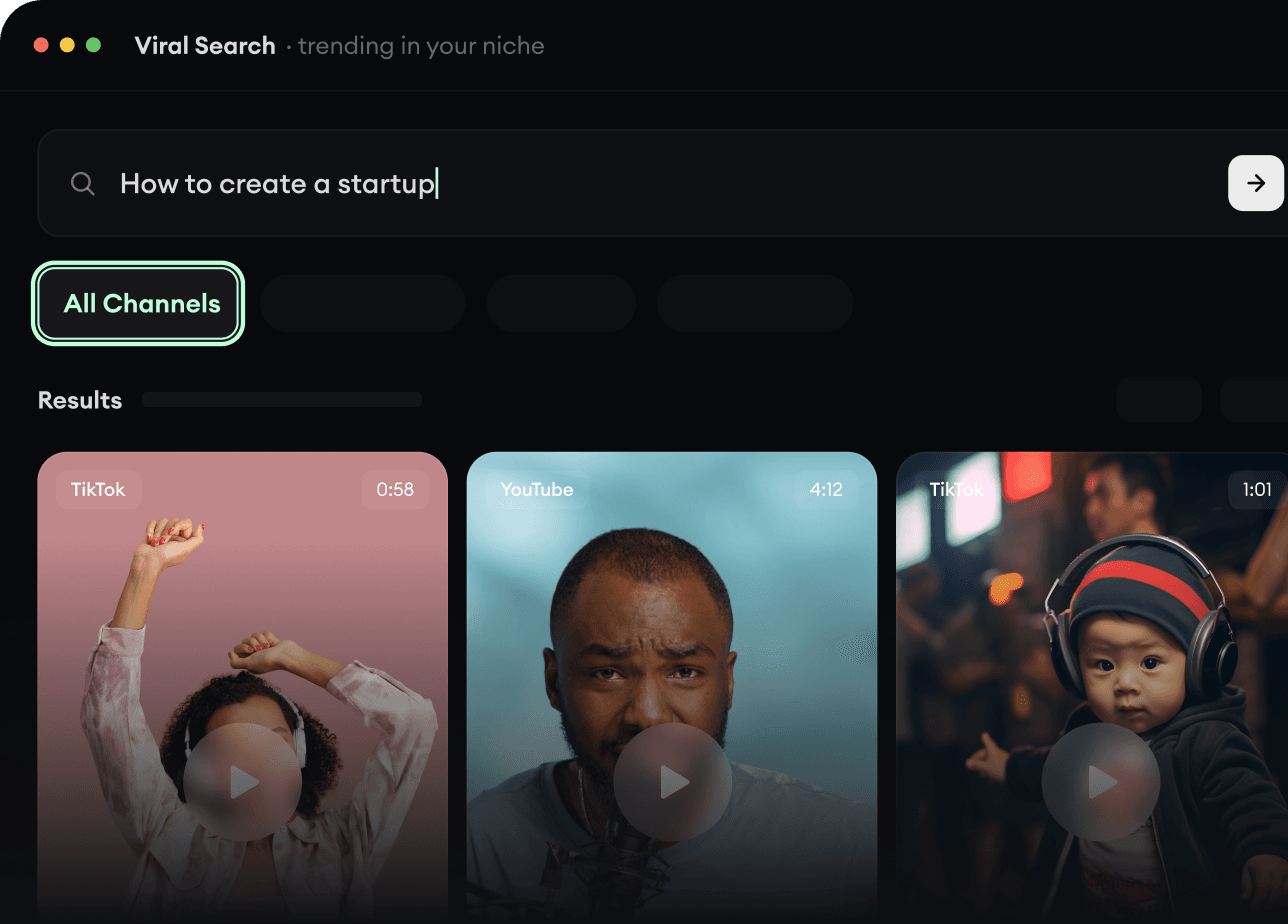
Find your next viral idea

Lacking inspiration? Our AI spots trends and helps you adapt them for your own videos, hassle-free.

  • Identify the best performing formats
  • Get inspired by top creators
  • Turn your ideas into captivating videos
Find your next viral idea
2
Step 2

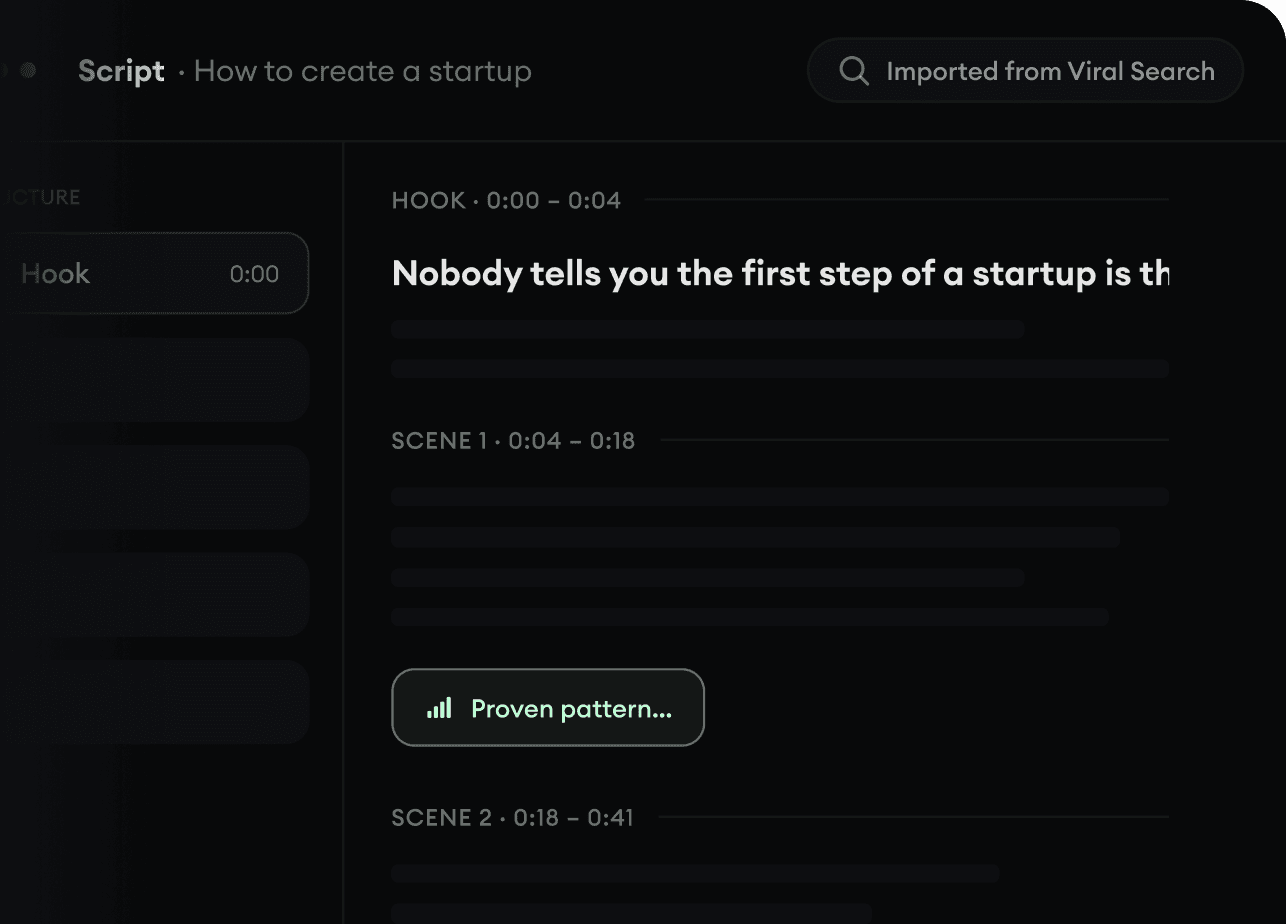
Storytelling designed to captivate

Revid.ai analyzes viral videos and uses those same codes to write your scripts.

  • Write your script or just give the topic to our AI
  • The AI will suggest relevant content to inspire you
  • Paste a link, our AI analyzes it and turns it into a video
Storytelling designed to captivate
3
Step 3

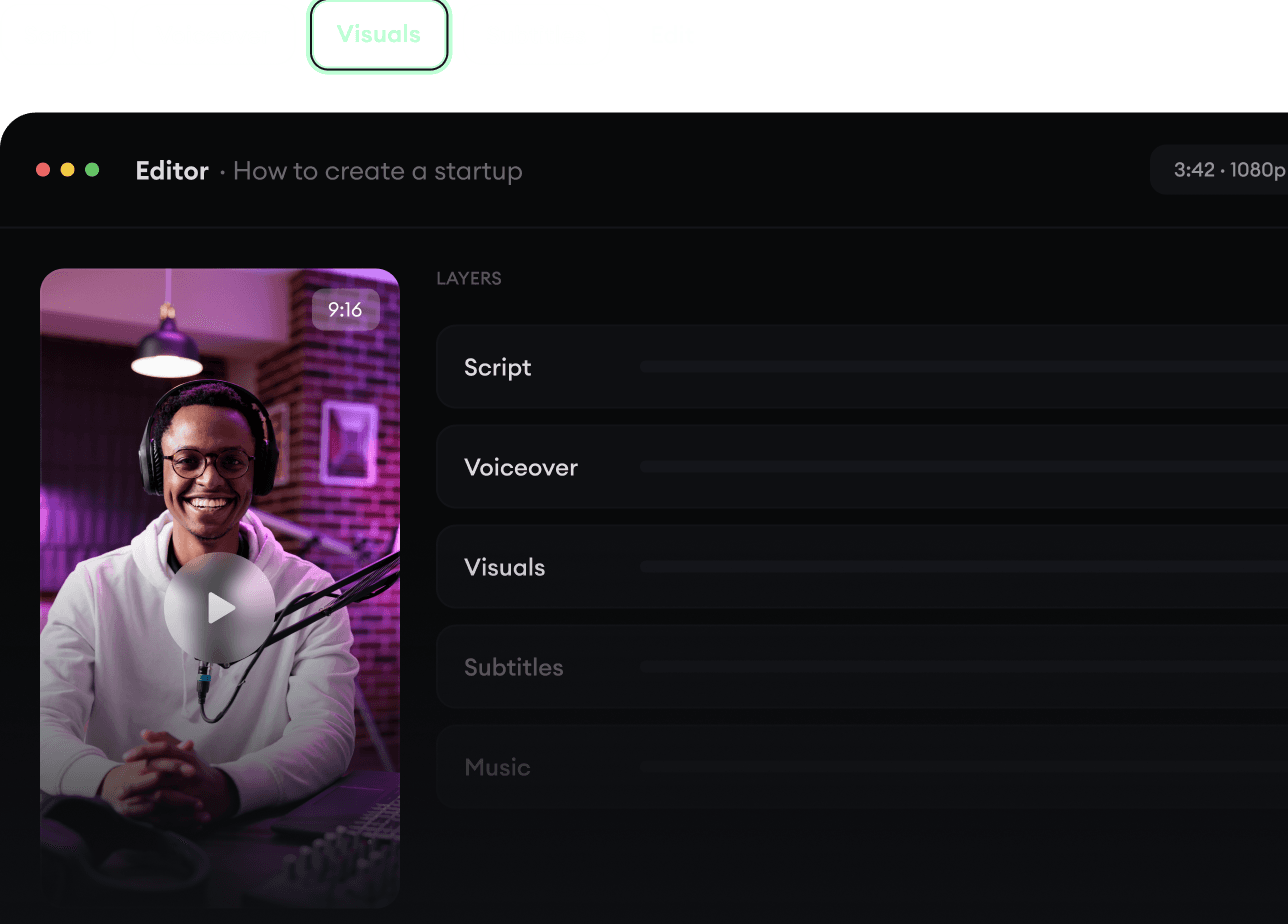
Videos you will love

Create professional videos, share them with one click, and grow your audience.

  • Watch your texts turn into professional videos
  • Automate video creation from your content
Videos you will love
4
Step 4

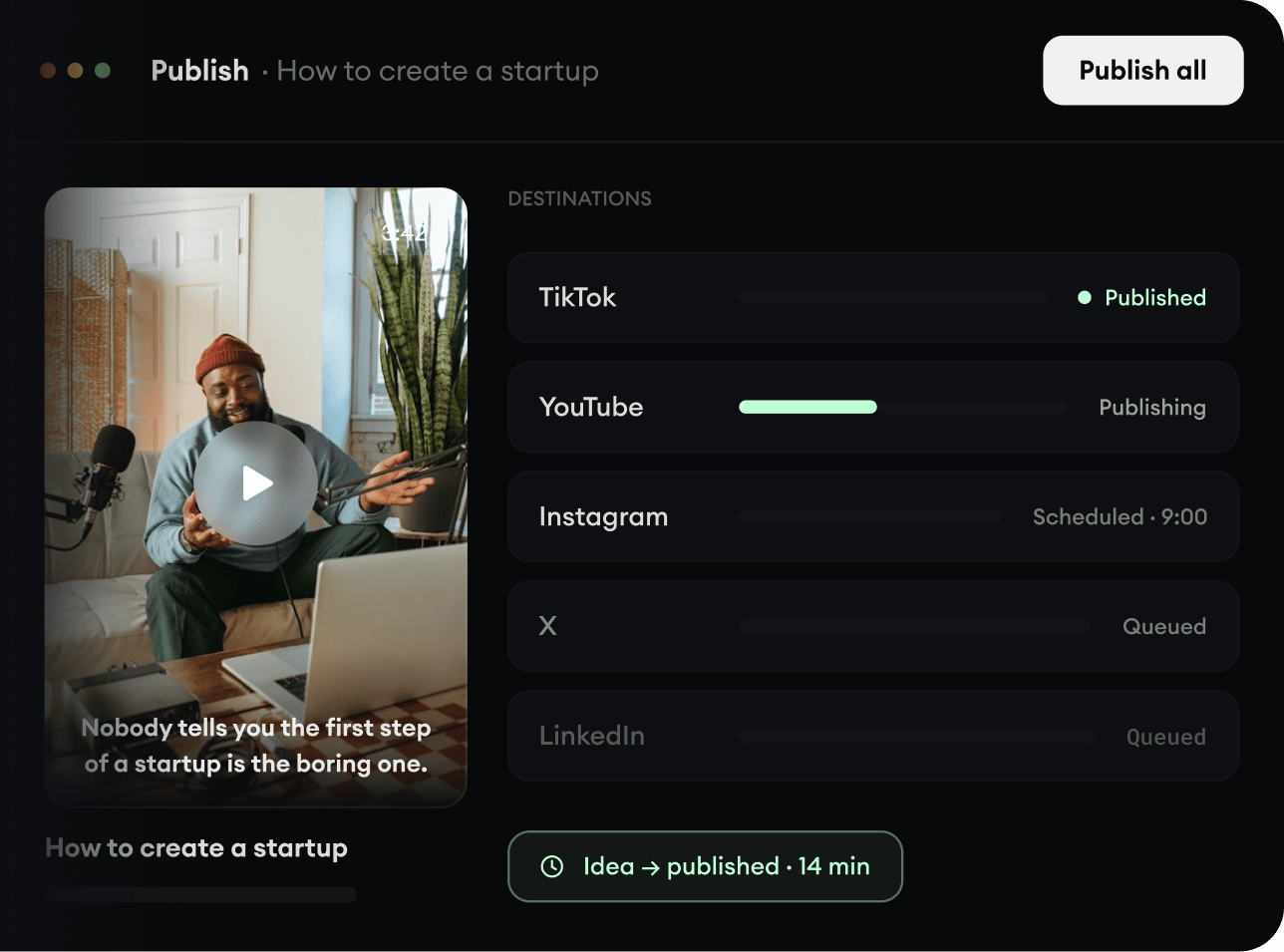
Publish on TikTok, YouTube, Instagram and more

Reach a wider audience by sharing your videos across all your networks.

Publish on TikTok, YouTube, Instagram and more
revid.ai logo

The fastest way to create captivating videos.