Creators publish 30,000+ videos a month with Revid

AI Video Style Changer

Upload a video you filmed and pick a style from the same catalogue as our AI video generators - 3D animated film, anime, watercolor, claymation, comic book and more, or a style you created. The AI finds the shots of your video, redraws each one in that style and keeps the motion, the framing, the people and their voices as filmed. From 8 credits per second of video. Revid is not affiliated with Disney, Pixar or Studio Ghibli.

Upload a real video and pick a style - the AI redraws every shot while keeping the motion, the people and the voices.

  • Real footage to animation
  • Cut on your shots
  • Faces stay recognizable
  • Original audio kept

How the AI video style changer works

1 Upload your video

Add a video you filmed. The AI uses it as the base, so the motion, the framing and the people come from your footage.

2 Pick a style

Choose from the same catalogue as our AI video generators: 3D animated film, anime, watercolor, claymation, comic book and more, or a style you created.

3 Choose a model and add a note

Select Pro or Ultra. If you want, add a short note to steer the colors, the light or the mood.

4 Generate and edit

Revid shows the credit cost before you generate. The AI redraws every frame in your style, and you can edit the video afterwards.

FAQs

Frequently Asked Questions

What does the AI video style changer do?
It takes a video you filmed and redraws every frame in the style you pick. The motion, the framing, the people and their voices stay as filmed.
Which styles can I choose?
You can pick 3D animated film, anime, watercolor, claymation, comic book and more. These come from the same catalogue as our AI video generators, and you can also use a style you created.
Can I turn real footage into 3D animation?
Yes. Upload your video, pick the 3D animated film style and the AI redraws it frame by frame. Revid is not affiliated with Disney, Pixar or Studio Ghibli.
Will the motion and framing stay the same?
Yes. Only the look changes. The movement and the framing of your original video are kept.
Will the people still look like themselves?
Faces stay recognizable. The people in your video are redrawn in the new style but remain the same people.
What happens to the audio?
The original audio is kept, so the voices in your video stay as you recorded them.
What is the note for?
The note is optional. Use it to steer the colors, the light or the mood of the result, not to add effects. Picking the style first matters more.
What is the difference between Pro and Ultra?
They are the two video models you can choose from. Pro costs 15 credits per second of video and Ultra costs 20 credits per second.
How much will it cost me?
Credits are charged per second of video, and Revid shows you the cost before you generate. You also get free credits when you sign up, so you can try it first.
Can I edit the video after it is generated?
Yes. Every video made on Revid can be edited after generation, so you can adjust it without starting from scratch.

Still have questions?

Contact us

Find detailed answers to 100+ questions about features, tools, and workflows

or check our markdown version optimized for LLMs

Tools

Free AI Video Tools

Choose your tool, add your content, and create a video in seconds. Then customize it to your liking.

See all tools

AI TikTok Video Generator

Turn text into trendy, viral TikTok videos in a snap

Try it out

Prompt to Video

Turn your prompts into engaging videos with AI assistance

Try it out

Add Caption to Video

Generate subtitles in 100+ languages with AI captions

Try it out

PDF to Brainrot

Convert PDFs into attention-grabbing, scrollable videos

Try it out

Text to Brainrot

Turn your text into trendy, scrollable content with dynamic visuals

Try it out

AI Talking Avatar

Create lifelike talking avatars from text in seconds

Try it out

Video Podcast Generator

Transform your podcasts into visually engaging video content

Try it out

AI Movie Maker

Create studio-quality videos from text, no filming required

Try it out

Audio to Video

Make engaging videos from your podcasts, interviews, or any audio content

Try it out

Animated Lyrics Video Generator

Turn any song into an animated lyric video with synced text and visuals.

Try it out

AI Music Video Generator

Transform your music into cinematic music videos.

Try it out

AI Lyrics Video Generator

Transform your lyrics into a complete music video with AI

Try it out
How it works

From Signal To Published In Four Steps.

1

Find Viral & Trending Videos.

RevidAI's Viral Search and Channel Watcher surface the formats, creators, and trends getting attention right now, then help you turn them into ideas of your own.
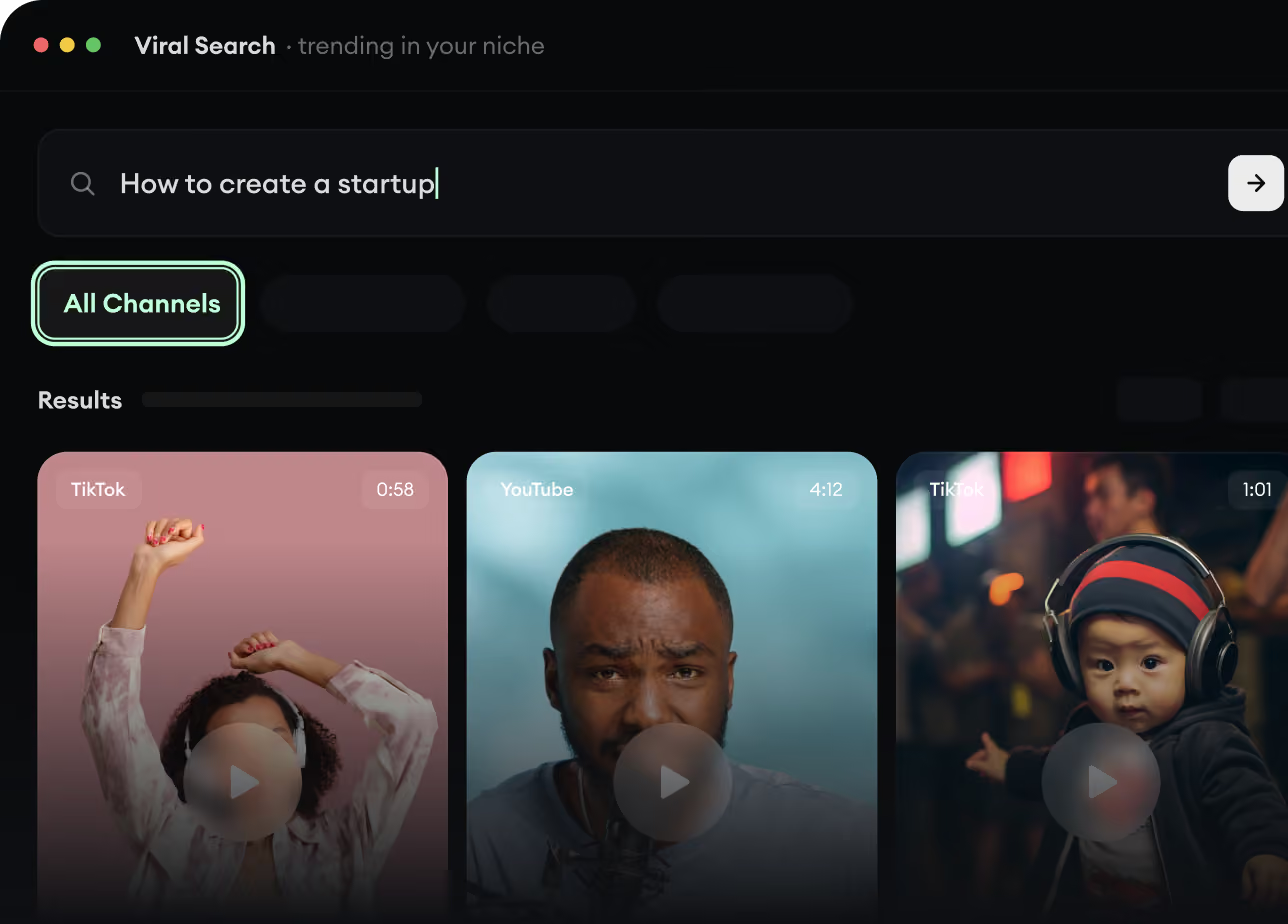
  • Discover winning video formats in your niche
  • Follow creators and channels that matter
  • Start with proven ideas instead of guessing
Find Viral & Trending Videos.
2

Turn An Idea Into A Story.

Found something worth making? Revid AI writes the script, suggests the structure, and turns links, prompts, or topics into complete video concepts.
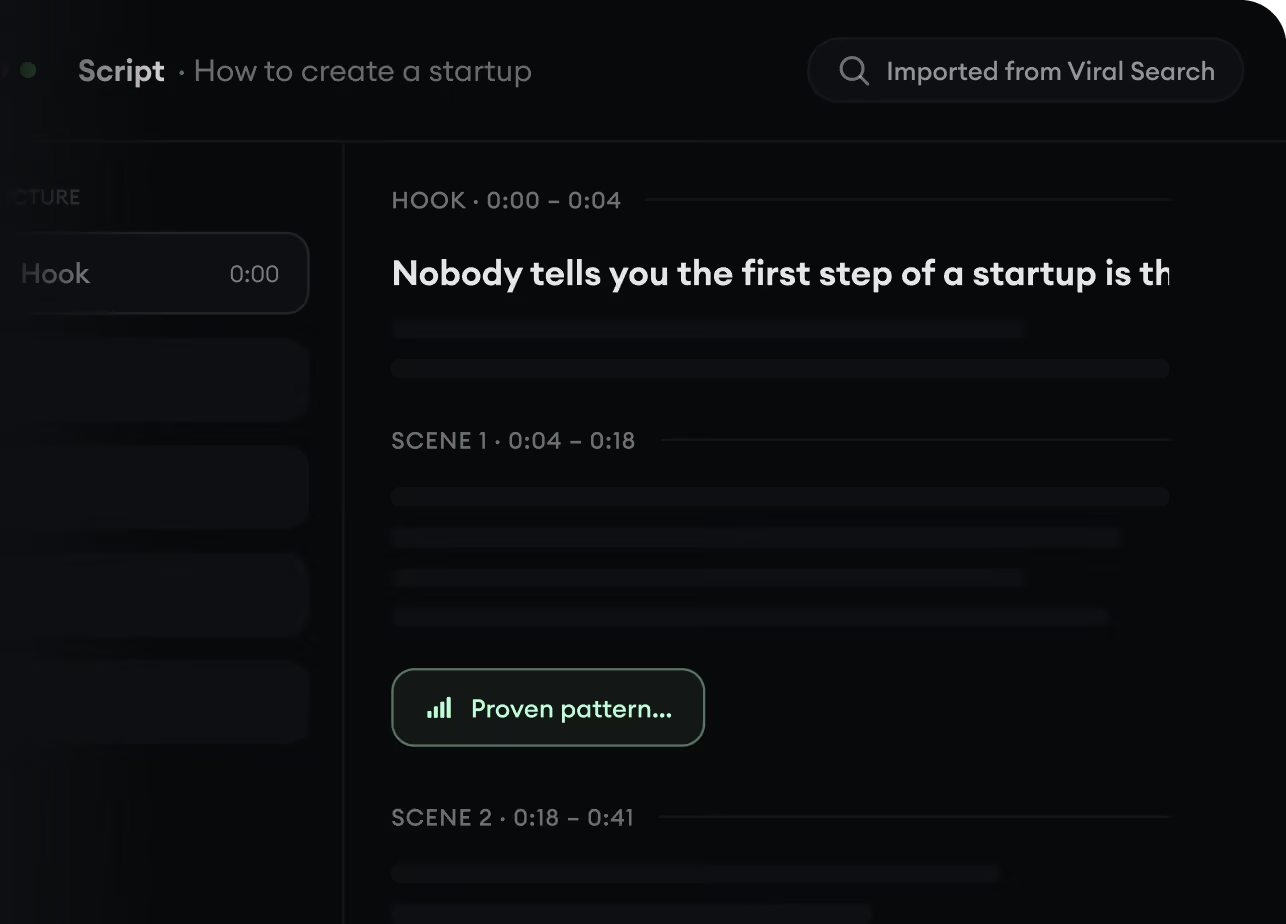
  • Start with a prompt, topic, or URL
  • Generate scripts inspired by proven patterns
  • Build stories designed to keep people watching
Turn An Idea Into A Story.
3

Generate The Finished Video.

Script, voiceover, visuals, subtitles, and editing all come together in one workflow. No stitching together five different tools.
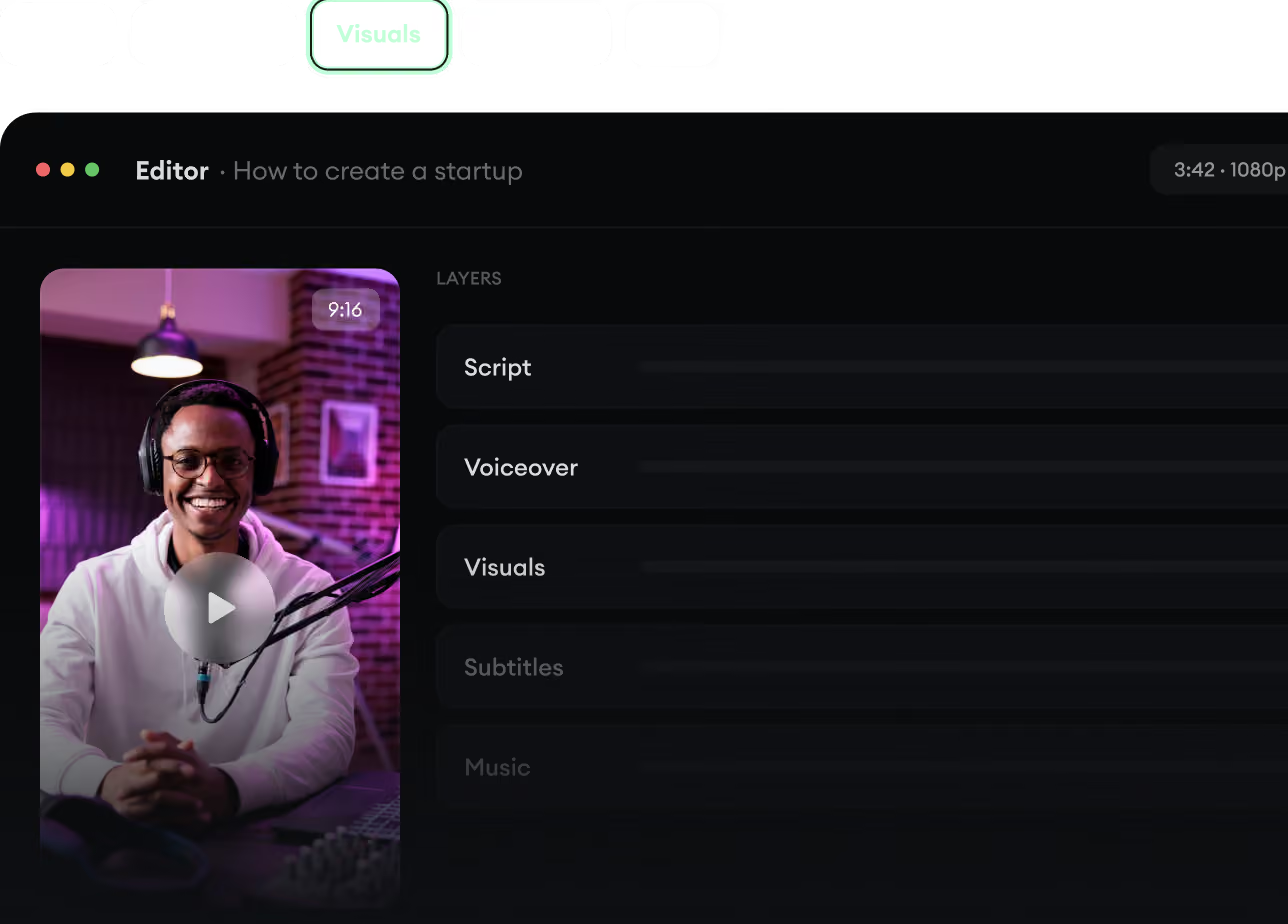
  • Turn text into complete, multi-minute videos
  • Generate everything in one place
  • Refine the result in the editor
Generate The Finished Video.
4

Publish Everywhere.

Share your videos to TikTok, YouTube, Instagram, and wherever your audience is.
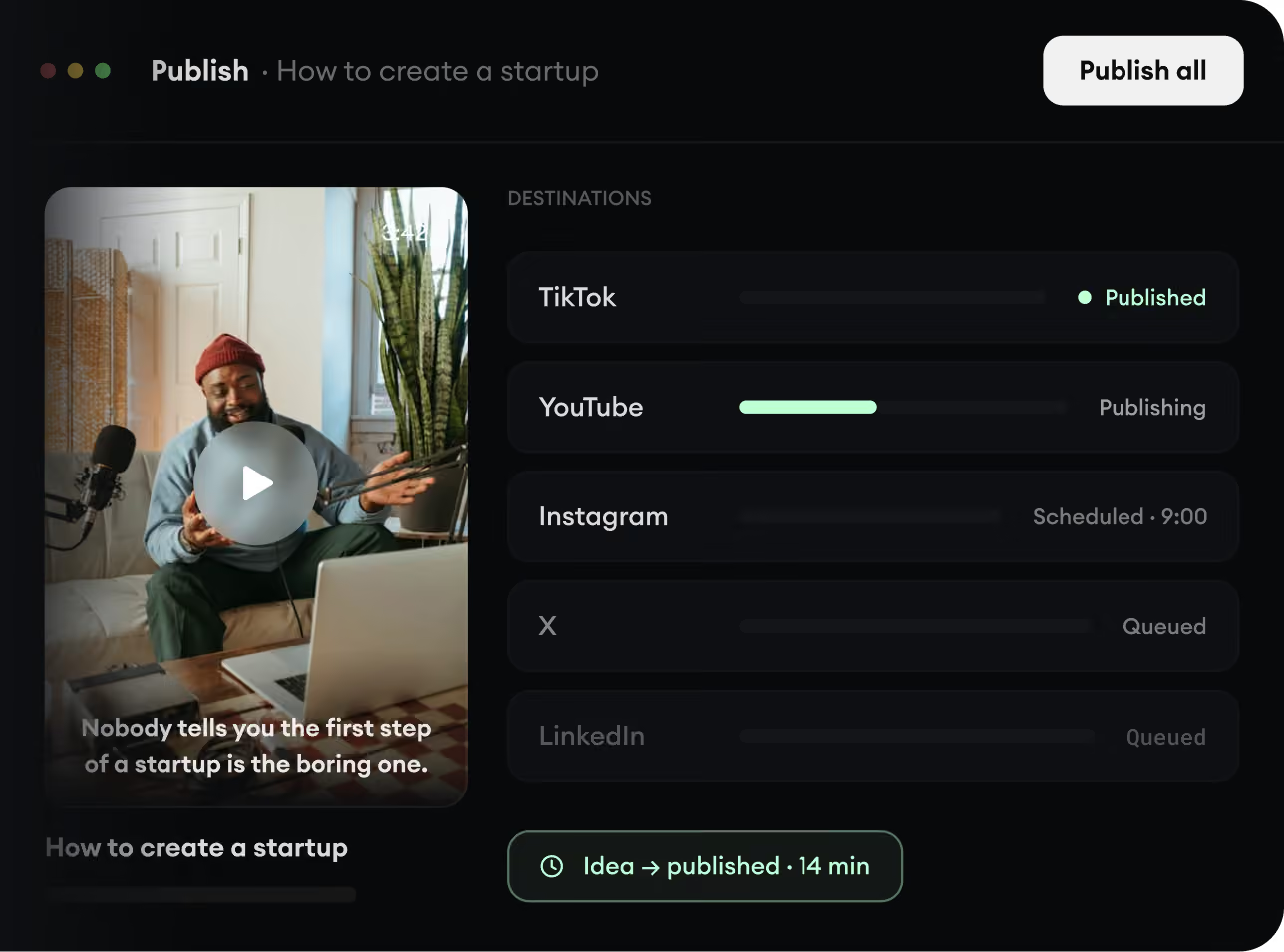
  • Publish across every major platform
  • Reach more people with less work
  • Go from idea to published video in minutes
Publish Everywhere.