

RevidSign in

Instagram Transcript Generator

Revid's Instagram transcript generator turns any public Reel or video post into text in a few seconds. Read the full script with timestamps, search it, copy it in one click, or download it as a .txt or .srt subtitle file.

Paste a Reel link and get every word, then remake it as a new Reel in your own style.

No signupNo credit cardReels up to 2 minutes

or explore our 150+ other tools to create the exact video you want

Explore our tools
Example videos

One Transcript, Six Ways to Remake It

Pick a style to preview a Reel made with Revid. Your new Reel can use any of them.

Your transcript

“Most people wait for the perfect idea. Start with the one you have and fix it as you go.”

Pick a style

Podcast clip. Cut the best moment of a talk into a Reel, with bold captions that follow every word.

Remake in this style
Podcast clip

How to Get a Transcript of an Instagram Reel in 3 Steps

  1. 1 Copy the Reel link

    In the Instagram app, tap the paper plane (Share) under the Reel, then Copy link. On the web, copy the URL from the address bar. Paste it into the box above.

  2. 2 Get the transcript

    Revid listens to the video and writes out every word, with a timestamp on each line. Most Reels take 5 to 20 seconds.

  3. 3 Copy, download or remake

    Copy the whole script in one click or download it as .txt or .srt. Want your own version? Rewrite it and Revid turns it into a new Reel with visuals, voice and captions.

Use cases

What You Can Do With an Instagram Transcript

Pick one to see how it works.

The Instagram Transcript Generator for Studying Viral Reels

Read the hook, the pacing and the call to action of any Reel word for word. On the page it's easy to see how fast a viral Reel gets to the point, where the payoff lands and how it asks for the follow. Then write your own version.

Get a transcript
  • 0:00Most people get this wrong on their first try.
  • 0:07Here's the one change that fixed it for me.
  • 0:21Follow for part two tomorrow.
Comparison

Revid vs. Instagram's Built-in Captions

Instagram only shows auto-captions a line at a time while the Reel plays. You can't read, copy or save them.

What you getInstagramRevid
Shows the words spoken in the video
Read the whole transcript at once
Copy all the text in one click
Timestamps for every line
Download as .txt or .srt
Search inside the transcript
Turn it into a new video with AI
More Tools

Explore Similar AI Video Tools

Discover more ways to turn videos and text into engaging content with our AI-powered tools

FAQs

Frequently Asked Questions

How do I get a transcript of an Instagram Reel?

Tap Share under the Reel, choose Copy link, paste the link into the box at the top of this page and press Get Transcript. You'll get the full text with timestamps in a few seconds, ready to copy or download.

Is this Instagram transcript generator free?

Yes. It's free to use with no signup and no credit card. There's a fair-use limit per hour to keep it free for everyone.

Does Instagram have transcripts?

Instagram can show auto-generated captions on Reels while they play, one line at a time. It doesn't let you read, copy or download the full transcript. This tool gives you all of it as text.

Can I transcribe long Instagram videos?

The free tool transcribes Reels and video posts up to 2 minutes long, which covers most Reels. For longer videos, try a shorter clip of the part you need.

Does it work for private accounts, Stories or Highlights?

No. Only public Reels and video posts can be transcribed. Posts from private accounts can't be read, and Stories and Highlights aren't supported.

What about carousel posts with videos?

If a carousel has videos with speech, you get the text of each one, labelled Video 1, Video 2 and so on. Photo-only posts have no audio to transcribe.

How accurate are the transcripts?

The audio is transcribed with AI, so clear speech comes out very well. Fast talking, slang, music or background noise can produce a few wrong words, so check names before you quote them. Timestamps are close but not word-perfect.

Which languages are supported?

The AI detects the language spoken in the Reel and writes the transcript in that language. Most major languages work, including English, Spanish, Portuguese, French, German and Hindi.

Can I turn the transcript into my own Reel?

Yes. Press Remake with Revid under the transcript. Revid opens with the script filled in and creates a vertical video with visuals, voice and captions that you can edit and post. Rewrite the script in your own words before you post it.

Does the creator know I transcribed their Reel?

No. The tool only reads public data. It doesn't log in to Instagram, doesn't view the Reel from your account and doesn't notify anyone.

Still have questions?

Contact us

Find detailed answers to 100+ questions about features, tools, and workflows

or check our markdown version optimized for LLMs
Tools

Free AI Video Tools

Choose your tool, add your content, and create a video in seconds. Then customize it to your liking.

See all tools
  • Repurpose Instagram Reels

    Give an existing Reel a fresh edit and new captions.

    Try it out
  • AI Reel Generator

    Turn an idea or script into a ready-to-post Reel.

    Try it out
  • YouTube to Instagram

    Reformat a YouTube video into a vertical Reel.

    Try it out
  • Add Captions to Video

    Add animated captions to any video automatically.

    Try it out
  • YouTube Transcript Generator

    Get the full transcript of any YouTube video.

    Try it out
  • TikTok Transcript Generator

    Get the full script of any TikTok video.

    Try it out
How it works

From Signal To Published In Four Steps.

1

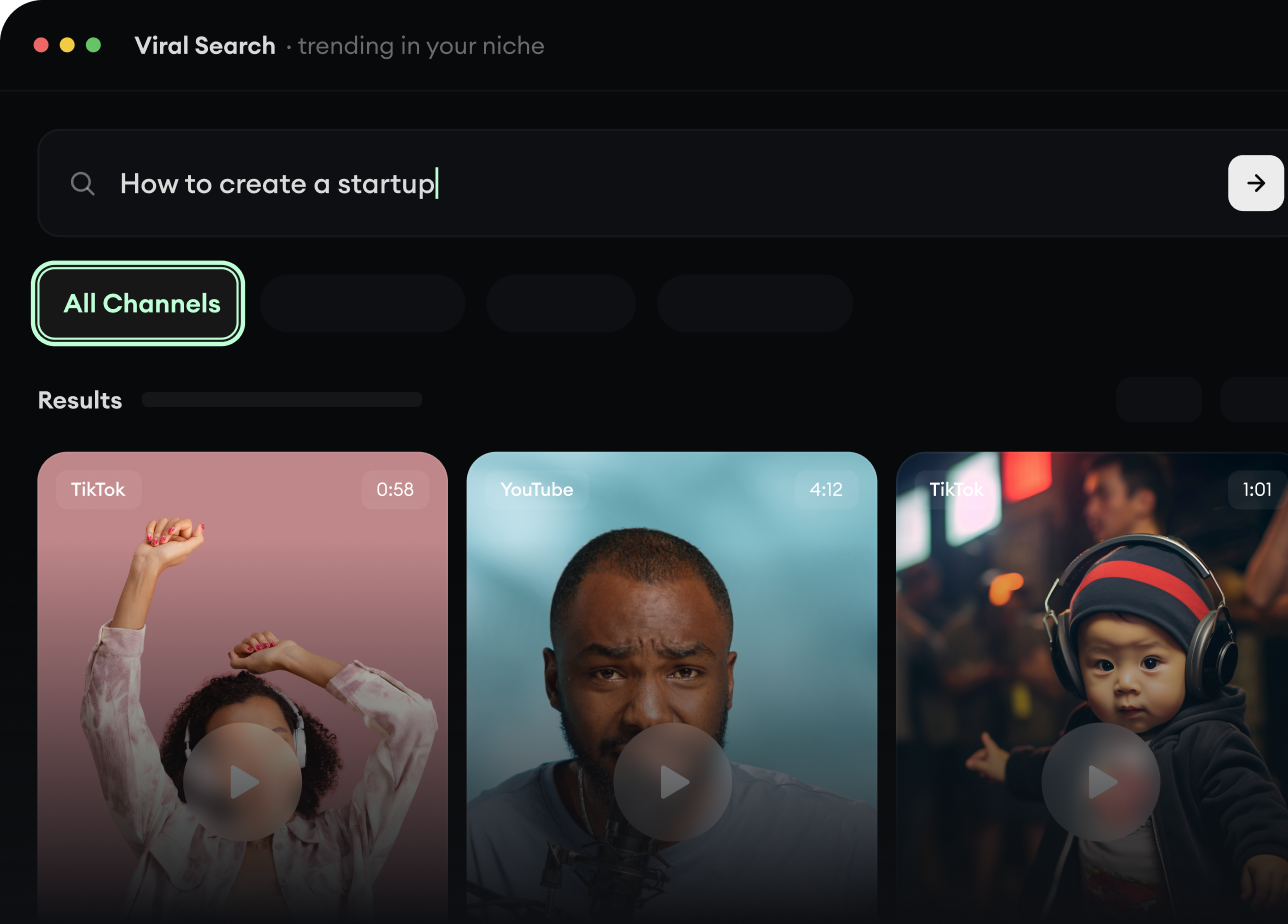
Find Viral & Trending Videos.

RevidAI's Viral Search and Channel Watcher surface the formats, creators, and trends getting attention right now, then help you turn them into ideas of your own.

  • Discover winning video formats in your niche
  • Follow creators and channels that matter
  • Start with proven ideas instead of guessing
Find Viral & Trending Videos.
2

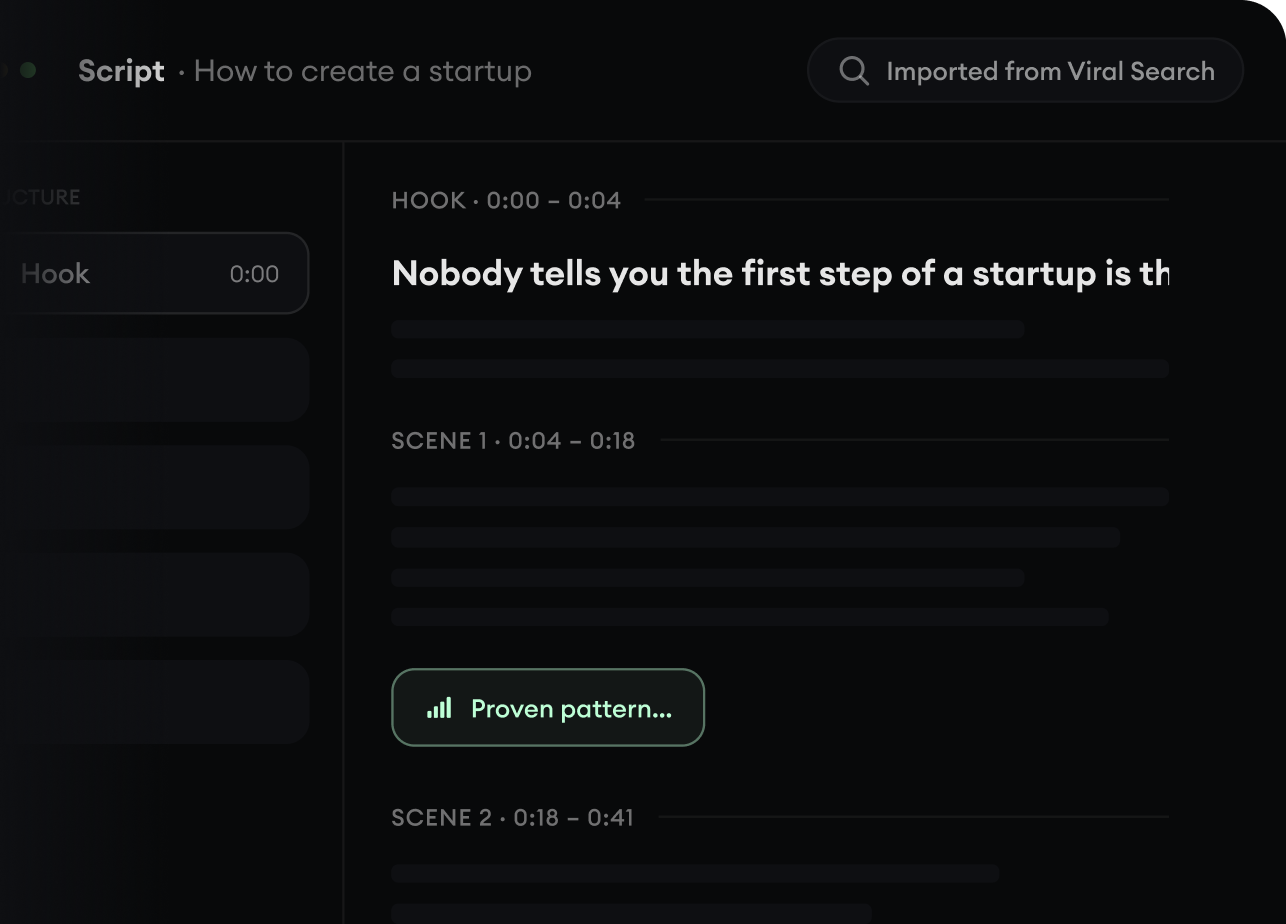
Turn An Idea Into A Story.

Found something worth making? Revid AI writes the script, suggests the structure, and turns links, prompts, or topics into complete video concepts.

  • Start with a prompt, topic, or URL
  • Generate scripts inspired by proven patterns
  • Build stories designed to keep people watching
Turn An Idea Into A Story.
3

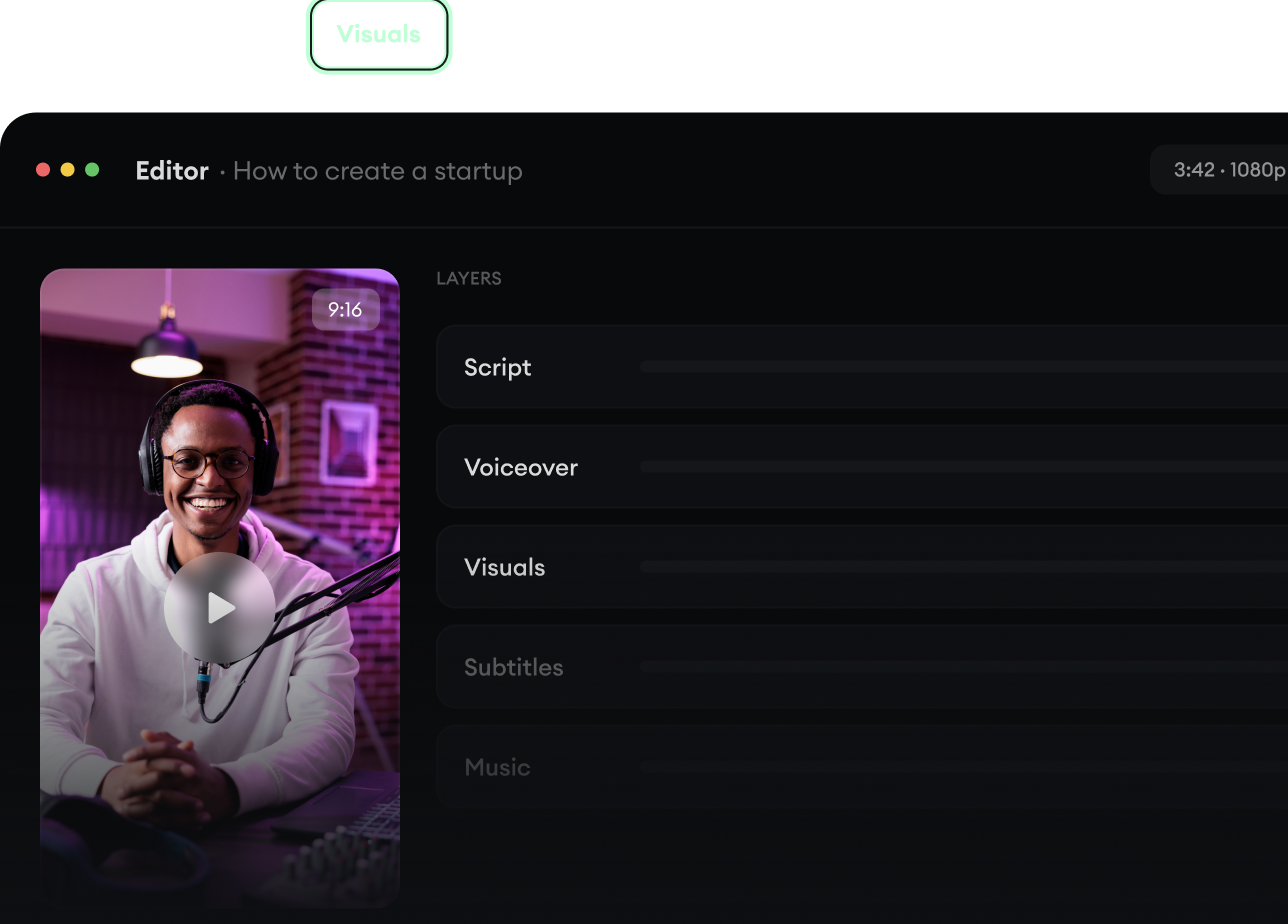
Generate The Finished Video.

Script, voiceover, visuals, subtitles, and editing all come together in one workflow. No stitching together five different tools.

  • Turn text into complete, multi-minute videos
  • Generate everything in one place
  • Refine the result in the editor
Generate The Finished Video.
4

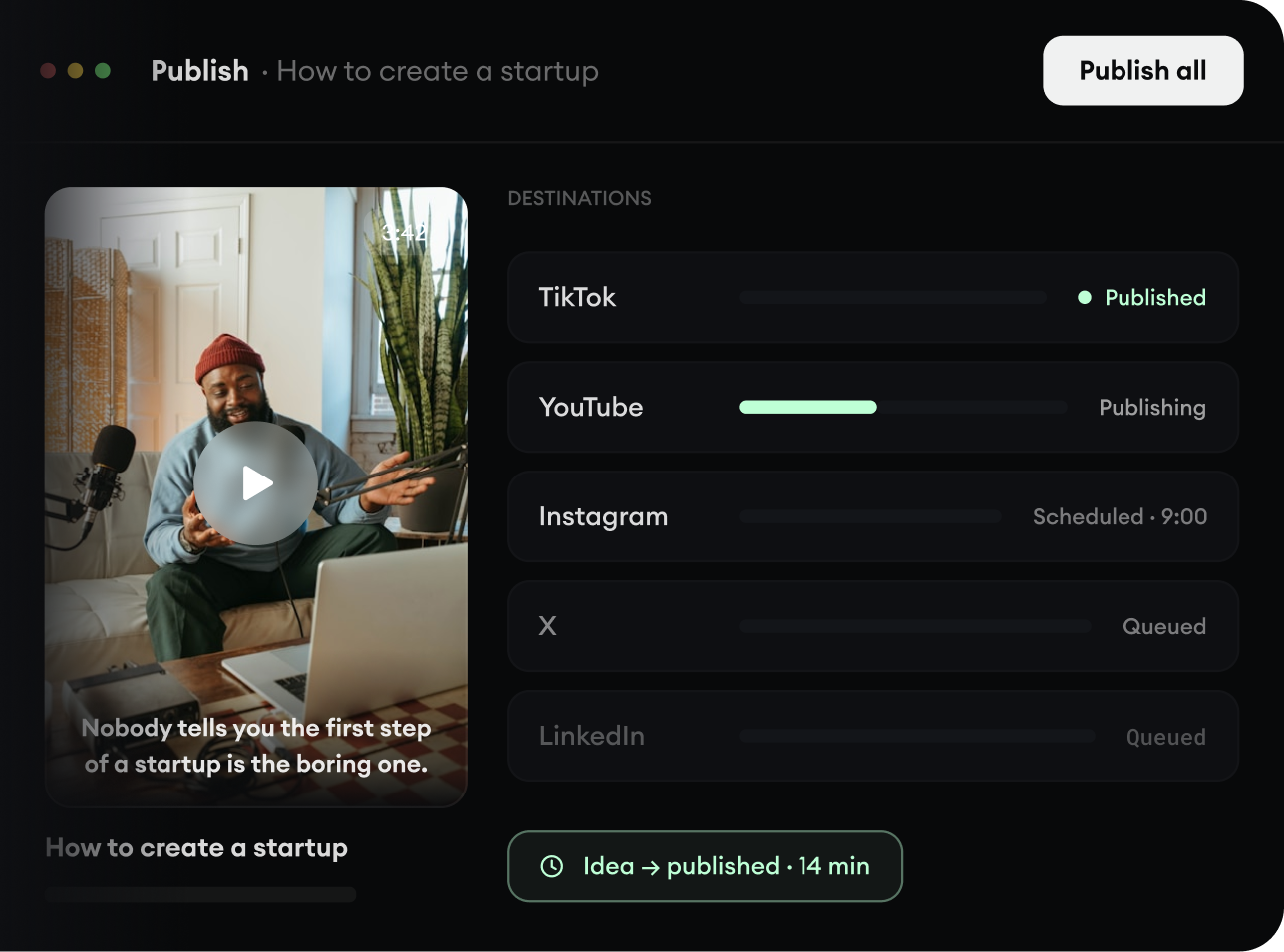
Publish Everywhere.

Share your videos to TikTok, YouTube, Instagram, and wherever your audience is.

  • Publish across every major platform
  • Reach more people with less work
  • Go from idea to published video in minutes
Publish Everywhere.