
Product launch
How the Squad.so launch video was made, and how to make yours
A 1:47 launch film with an AI presenter built from one photo, real product shots, real news clippings, a celebrity-voice gag and an end card. Made with the Revid CLI, driven by an AI agent. This is the exact recipe.
What you will make
- A presenter that looks like you, generated from a single photo and consistent across every shot
- Your real product footage cut into the story, not stock B-roll
- Real X posts and news clippings on screen for credibility
- A voiceover, a second voice for a gag, and sound effects, all generated
- A rendered 1080p landscape film you finish in the editor
What you need
- A Revid account with credits (run the estimate before you render, it is free)
- Node 18+ for the CLI: `npm i -g revid-cli`, then `revid auth login`
- One clear photo of each person who appears (front-facing, plain background)
- Your product shots as mp4 (Screen Studio, Loom, QuickTime, anything)
- A script you have argued with. Squad went through 98 revisions of the concept.
Tools used
The recipe
7 steps, in the order they happened
- 1
Step 1
Write the script before you touch any tool
Every second of the video exists in the script first. The tools only execute it.
The launch film opens with "I'm going against Grok Bot". That is not an accident: it names an enemy in the first three seconds, which is the fastest way to earn the next ten. The rest of the script alternates between a claim, a product shot proving it, and a receipt from the real world. Write it as narration you could read out loud in one breath per line.
If you want to know what actually performs in your niche before you write, the CLI can read the room for you. It returns viral videos with their transcripts, hooks and engagement, which is a much better starting point than a blank page.
Study what performs firstrevid search "ai agents for founders" --jsonThe shape of the Squad scriptHOOK (0:00-0:05) Name the enemy. "I'm going against Grok Bot." STAKES (0:05-0:20) Why it matters to the viewer, in their words. PROOF x3 Claim, then the product doing it on screen, then a receipt. GAG One unexpected beat (the phone call). Earns the share. CLOSE What it costs, where to get it, one line, end card.The 98 revisions were on the concept, not the words
Lock what the video is about and what the one joke is before polishing sentences. Squad changed the angle dozens of times and the wording only at the end.
- 2
Step 2
Record the product shots yourself
Generated visuals sell the story; real footage sells the product. Use both.
Every shot of Squad's interface in the film is a real screen recording, captured with Screen Studio and exported as mp4. Revid does not need to invent your product, and it should not. Record the three or four moments that prove your claims, five to ten seconds each, with the cursor doing something meaningful.
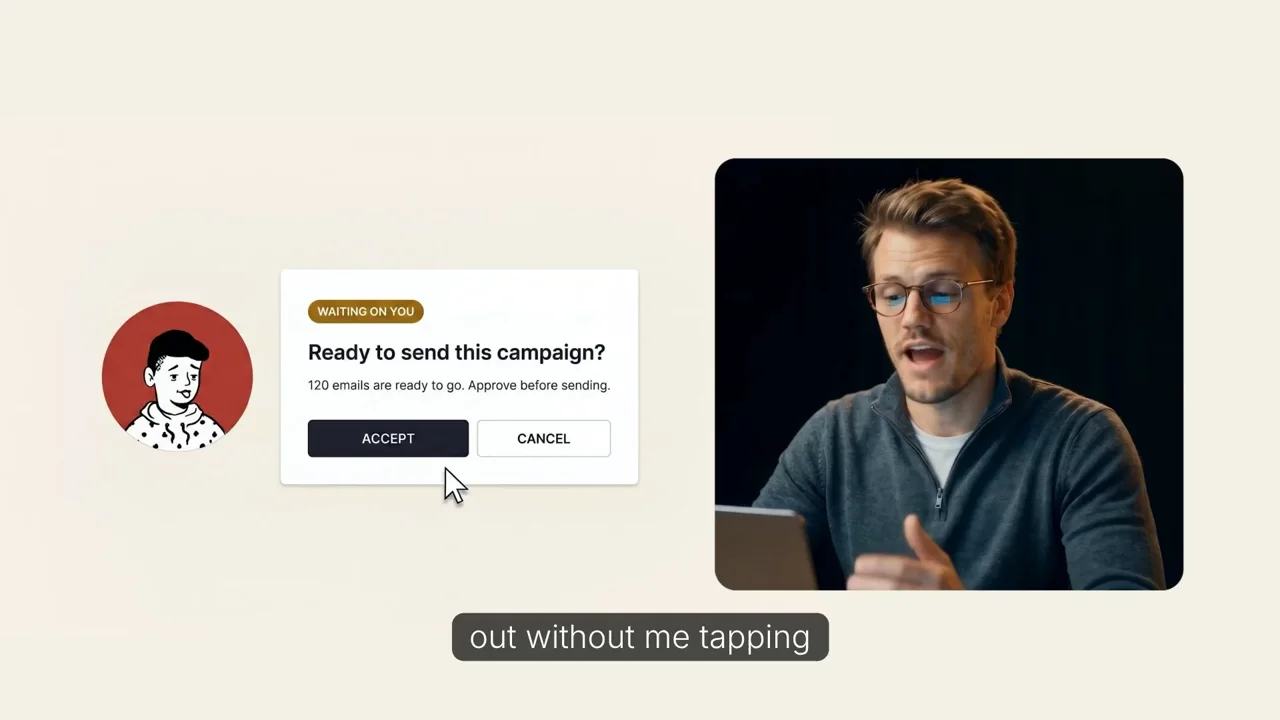
Generated presenter on the left, real Screen Studio capture on the right. The mix is what makes it believable. Upload the recordings anywhere public (your CDN, S3, even a Revid upload) and keep the URLs. They go into the payload as your own media, which Revid uses as the visuals for the matching script sections instead of generating something.
Your footage in the payload"media": { "type": "ai-video", "quality": "pro", "provided": [ { "url": "https://cdn.yoursite.com/shots/inbox.mp4", "type": "video", "title": "Support inbox demo" }, { "url": "https://cdn.yoursite.com/shots/briefing.mp4", "type": "video", "title": "Morning briefing" } ], "useProvidedInOrder": false }Strict mapping when you need it
Set media.useProvidedInOrder to true and Revid maps your clips to script sections in order, no AI picking. Leave it false to let it place them where they fit best.
- 3
Step 3
Turn one photo into a consistent presenter
Squad handed Revid a single photo of each founder. The same face then holds across every generated shot.
This is the step people assume needs a studio. It needs one photo. Revid builds a consistent character from it, and every scene that features that character keeps the face, hair, glasses and outfit. A front-facing shot on a plain background works best; a full-body reference next to it helps with wide shots.
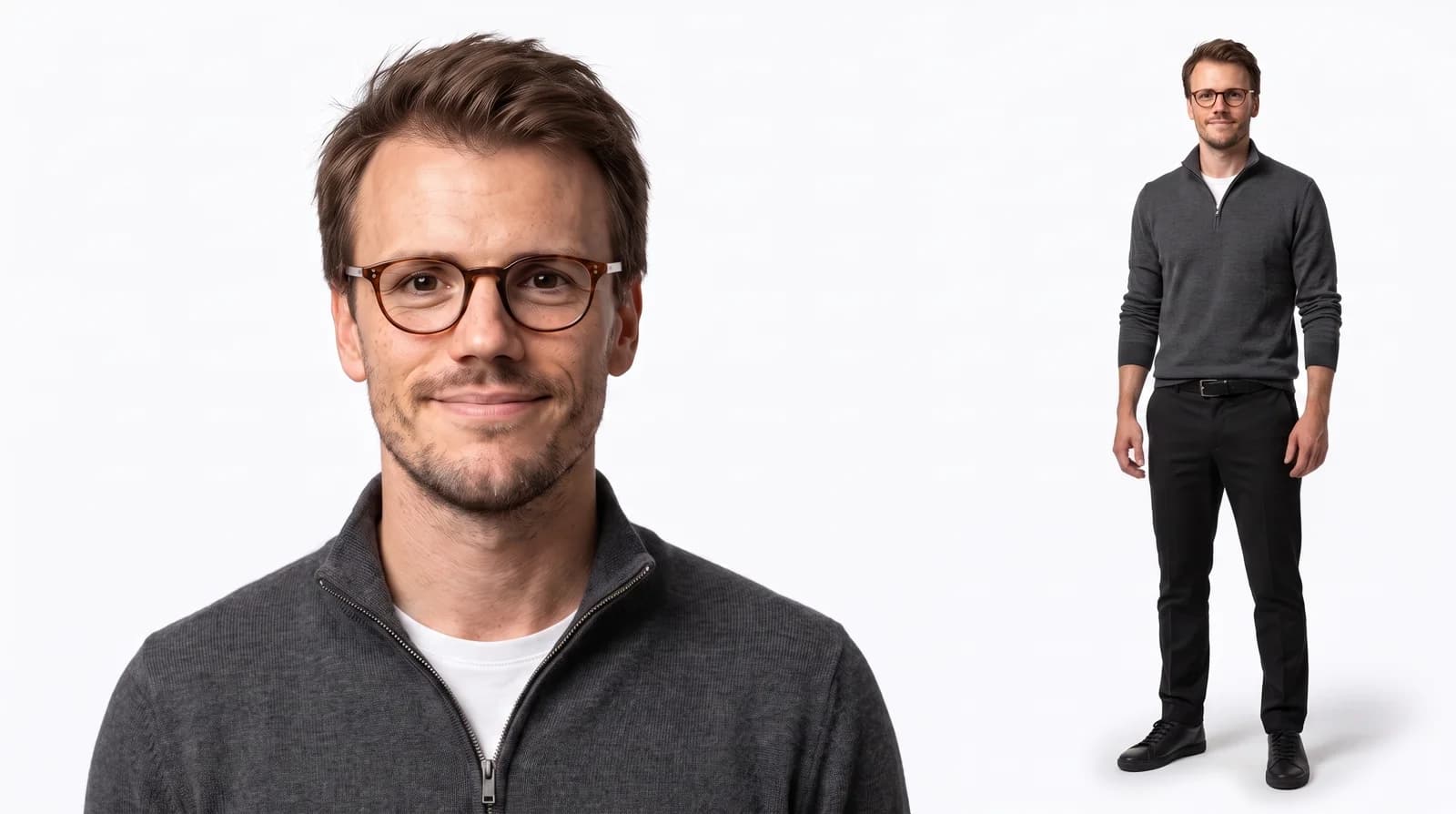
Tibo: headshot plus full body, plain background 
Bhanu: same layout, same lighting Create the characters in Revid under AI characters (one upload each), then read their IDs from the API. Any video that lists those IDs will feature them.
List your saved characterscurl -s https://www.revid.ai/api/public/v3/consistent-characters \ -H "Authorization: Bearer $REVID_API_KEY" | jq '.[] | {id, name}'Feature them in the video"characterIds": ["chr_tibo_xxxx", "chr_bhanu_xxxx"]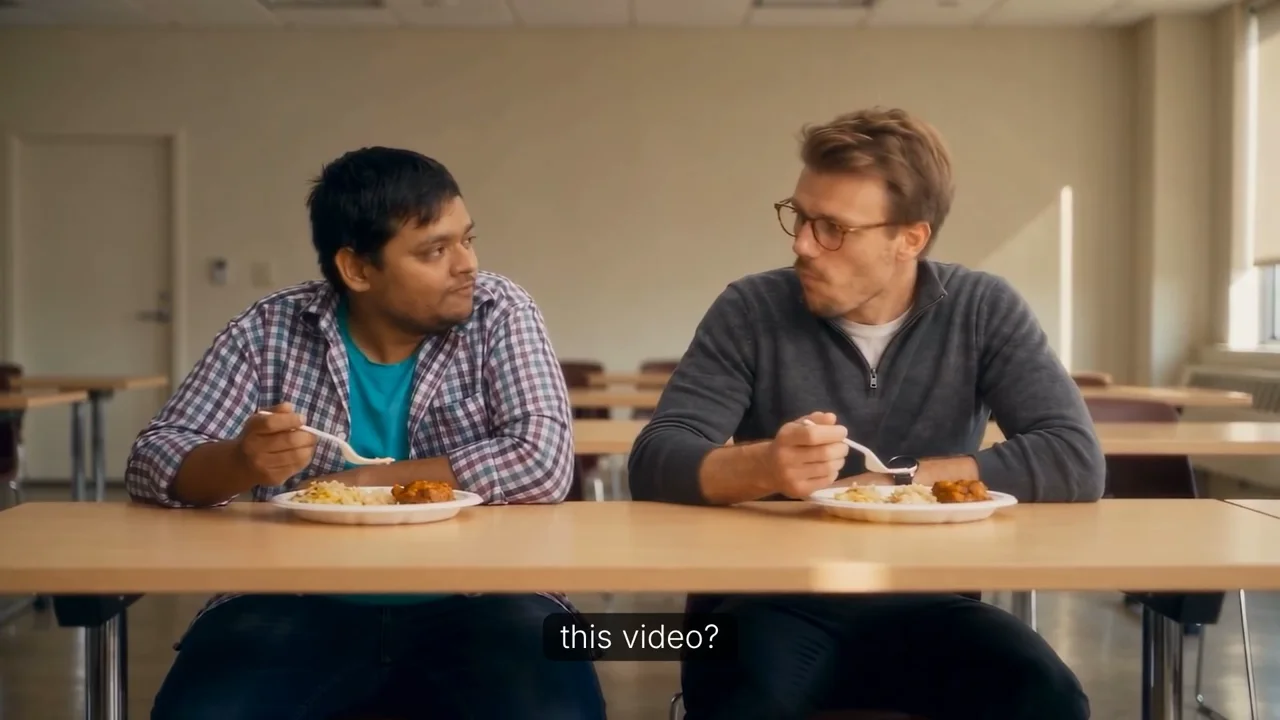
Both characters in one generated shot, each still recognizable. That is the consistency doing its job. One-off likeness without saving a character
For a single video you can skip the character library and pass a photo with --reference-image-url. It goes into media.provided as a person reference. It does not make a talking avatar; the presenter is still generated into scenes.
- 4
Step 4
Give it a voice, a second voice, and sound
The narration, the phone-call gag and the sound effects were all generated. Nothing was recorded.
Pick a narration voice from the catalog, or clone your own so the presenter that looks like you also sounds like you. The film's "unknown number" phone call uses a separate, custom voice for the caller, which is what turns a feature list into a scene people quote.
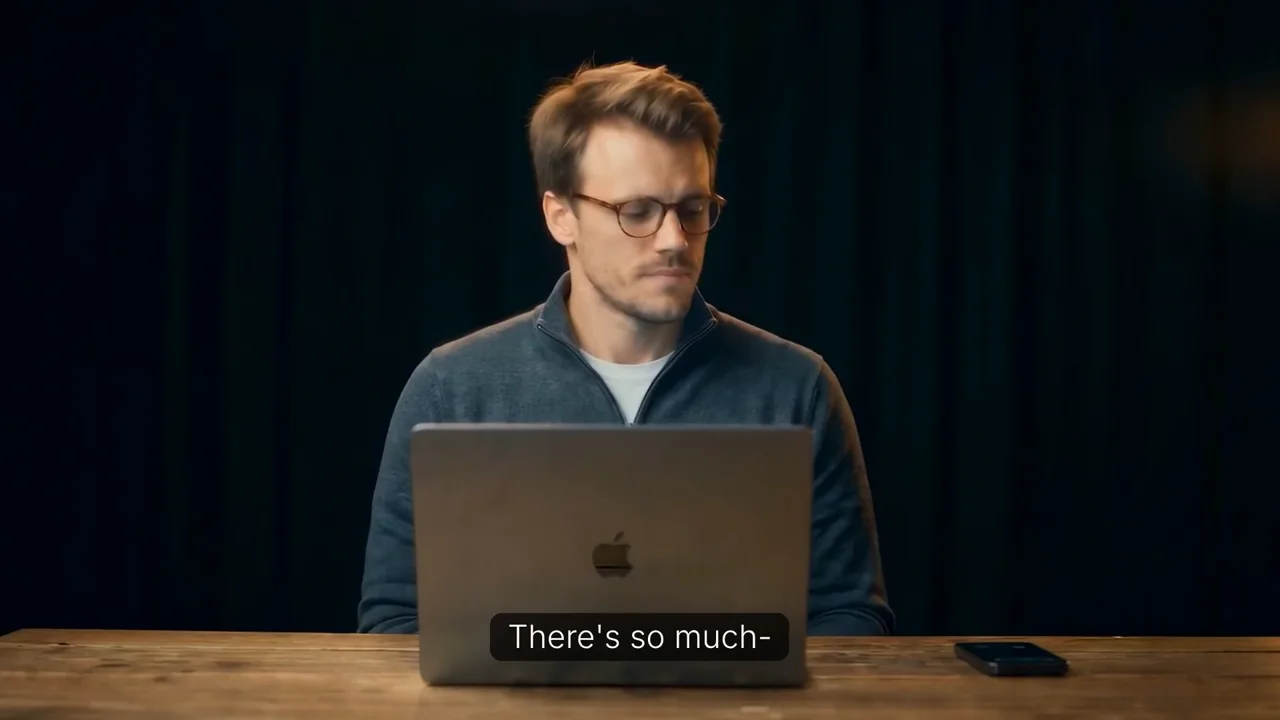
The gag: a call from an unknown number. One extra voice, one extra scene, most of the shares. Find a voicerevid voices labels --json # accents and descriptors to filter on revid voices --json | jq '.[] | select(.labels | index("energetic"))'Voice and sound in the payload"voice": { "voiceId": "your-voice-id" }, "options": { "soundEffects": true }Cloned voices need consent
Clone your own voice, or a voice you have explicit permission to use. For a gag involving a public figure, write it as an obvious parody and use a custom voice rather than a clone of the real person.
- 5
Step 5
Bring in real-world receipts
X posts, news clippings and YouTube clips make the story feel reported, not advertised.
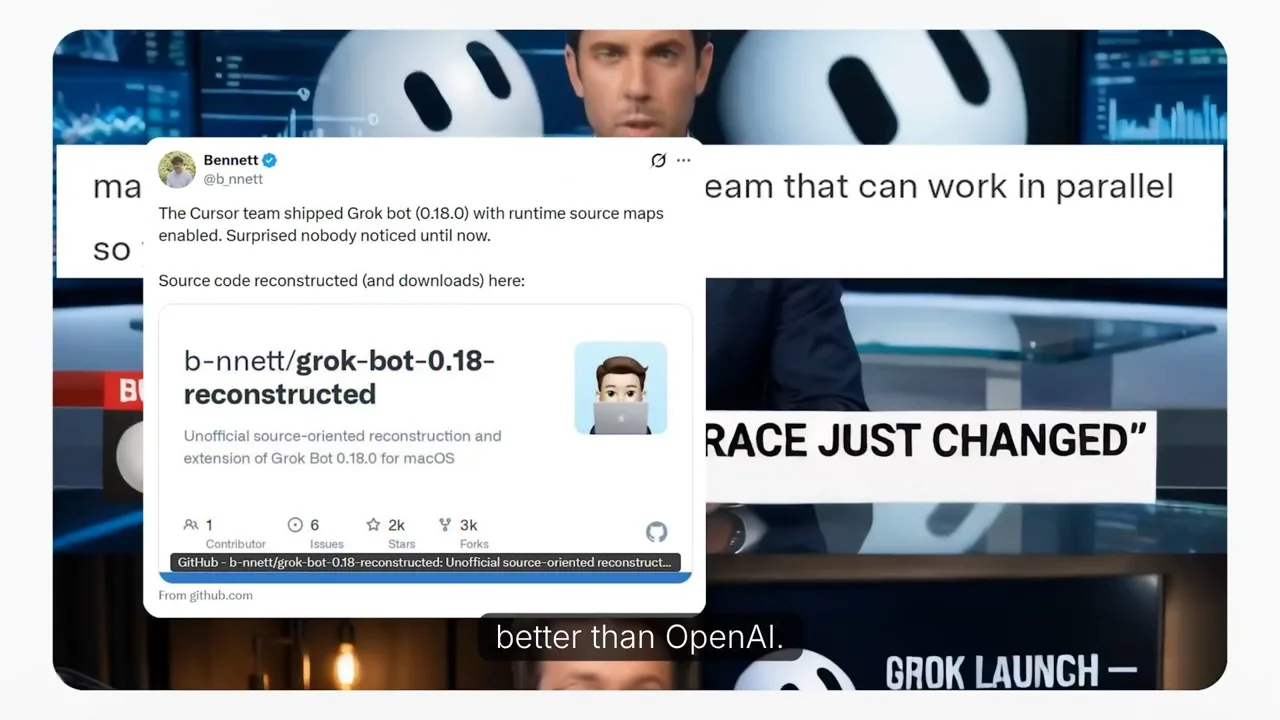
Screenshots of real posts and articles, dropped in as provided media over the "why now" beat. Screenshot the posts and articles that set up your story (here: the Grok Bot launch coverage), export short clips from relevant videos, and add them to media.provided next to your product shots. Give each a title that says what it is; the script planner uses those titles to decide where they belong.
Receipts as provided media{ "url": "https://cdn.yoursite.com/receipts/grok-bot-news.png", "type": "image", "title": "News coverage of Grok Bot launch" }, { "url": "https://cdn.yoursite.com/receipts/reaction-post.png", "type": "image", "title": "X post reacting to the launch" } - 6
Step 6
Assemble the payload and render
Narration verbatim, your characters, your footage, one voice, sound on. Dry-run, estimate, then render.
Because the script is final, use script-to-video, which speaks your text word for word. Prompt-to-video would rewrite it. Landscape, 1080p, and a quality tier of pro for the first render; go ultra only for the final.
payload.json{ "workflow": "script-to-video", "aspectRatio": "landscape", "source": { "text": "I'm going against Grok Bot. ..." }, "characterIds": ["chr_tibo_xxxx", "chr_bhanu_xxxx"], "media": { "type": "ai-video", "quality": "pro", "mediaPreset": "REALISTIC", "provided": [ { "url": "https://cdn.yoursite.com/shots/inbox.mp4", "type": "video", "title": "Support inbox demo" }, { "url": "https://cdn.yoursite.com/receipts/grok-bot-news.png", "type": "image", "title": "News coverage" } ] }, "voice": { "voiceId": "your-voice-id" }, "captions": { "enabled": true, "position": "bottom" }, "options": { "soundEffects": true }, "render": { "resolution": "1080p" } }Validate, price, render, downloadrevid create --payload payload.json --dry-run --json # validates, spends nothing revid credits --payload payload.json --json # exact cost before you commit revid create --payload payload.json --wait --output launch.mp4Small changes do not need a new file
revid create --payload payload.json --set media.quality=ultra --set render.resolution=4k re-renders the final at full quality without touching the JSON.
Renders take minutes, and every real create spends credits
Always dry-run first, read the estimate, then render. For a batch of variants, create them all, keep the pids, and wait on them in a second pass.
- 7
Step 7
Polish in the editor and ship
The render is the rough cut. The last five percent happens in the Revid editor.
Open the project in the editor, tighten the cuts around your product shots, check the captions against the script, drop the end card with the price and the URL, and export. Squad's in-house editor did exactly this pass on the film before it went out.
One line, one price, one URL. The end card is where the launch becomes a link. Post it natively on X with the video as the first thing in the post, then build the thread underneath: the making-of, the pricing, the receipts. The launch thread and its quote posts are what took this one past a million views.
Or hand the whole thing to an agent
Squad did not run these commands by hand. The founders gave an AI teammate the script, the screen recordings and one photo each, and it drove the Revid CLI end to end: characters, voiceover, sound effects, receipts, render. Claude or Codex can do the same from your terminal.
revid guide --json                          # teaches the agent the CLI and the API
revid guided --json --goal "A 100-second launch film for Squad.so: presenter built from photo.jpg, real product shots in ./shots, news receipts in ./receipts, parody phone-call gag, end card with price"
Where an agent platform goes further than a one-off session is systems: an agent that watches your changelog, picks the best shipped feature every week, and produces a video about it on a schedule. That is how Squad uses it internally, and it is the same CLI underneath.
Ready to make yours?
Same tools, same recipe. Start with the tool this tutorial uses, or install the CLI and let an agent do the clicking.